Connect Claude to Cirrux
Add Cirrux as a connector in Claude and it can read and organize your mail, write drafts and manage your calendar for you. Setting it up takes about a minute.
You’ll need this server URL in step 2:
https://mcp.cirrux.co/mcpSteps
Open Connectors in Claude
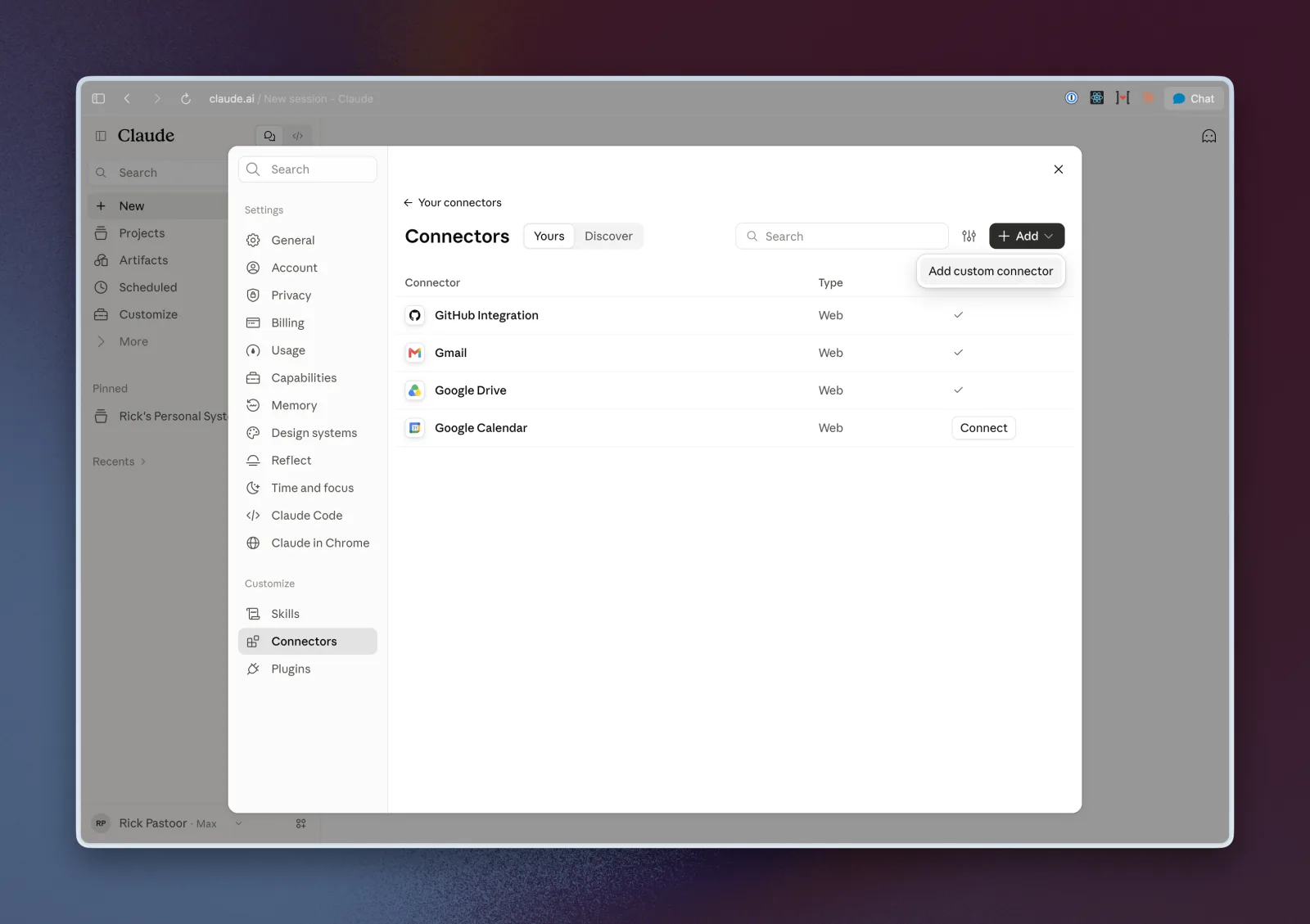
Go to claude.ai, open Settings and choose Connectors. Click Add and choose Add custom connector.
Enter a name and the server URL
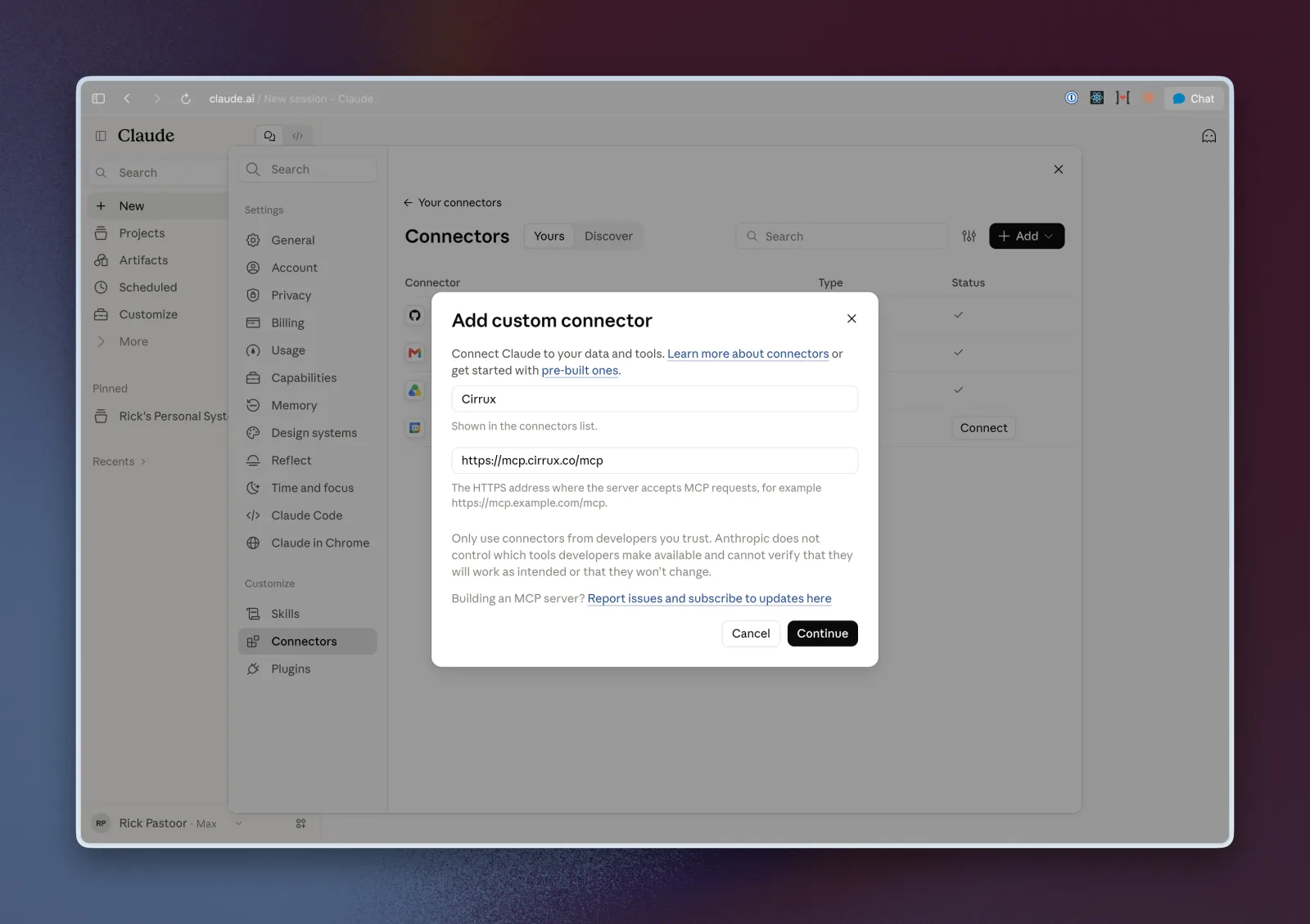
Name the connector Cirrux, paste https://mcp.cirrux.co/mcp as the address and click Continue.
Keep the suggested sign-in settings
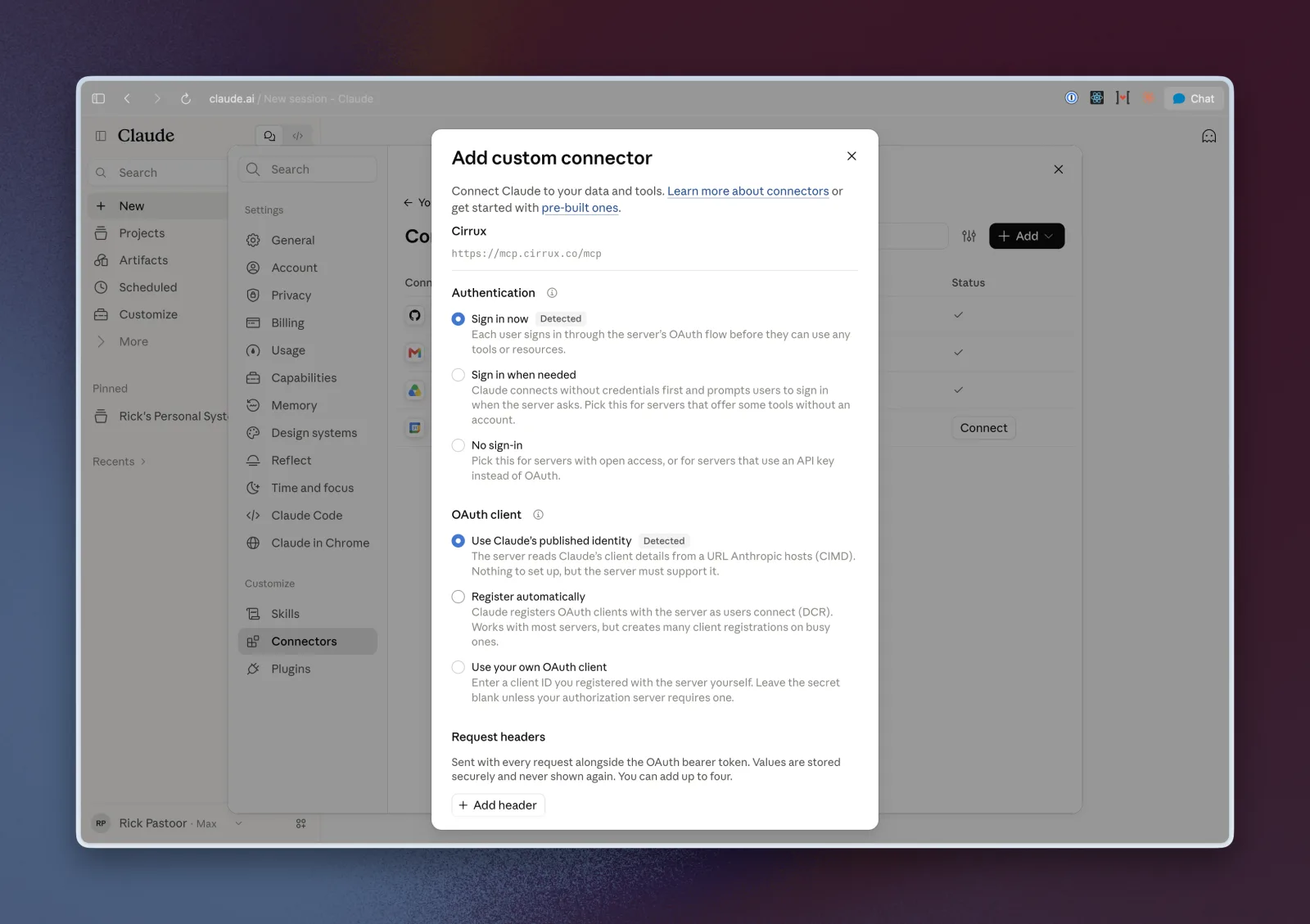
Claude detects how Cirrux handles sign-in and picks the right options for you: Sign in now and Use Claude’s published identity. Leave them as they are, don’t add any request headers, and add the connector.
Click Connect
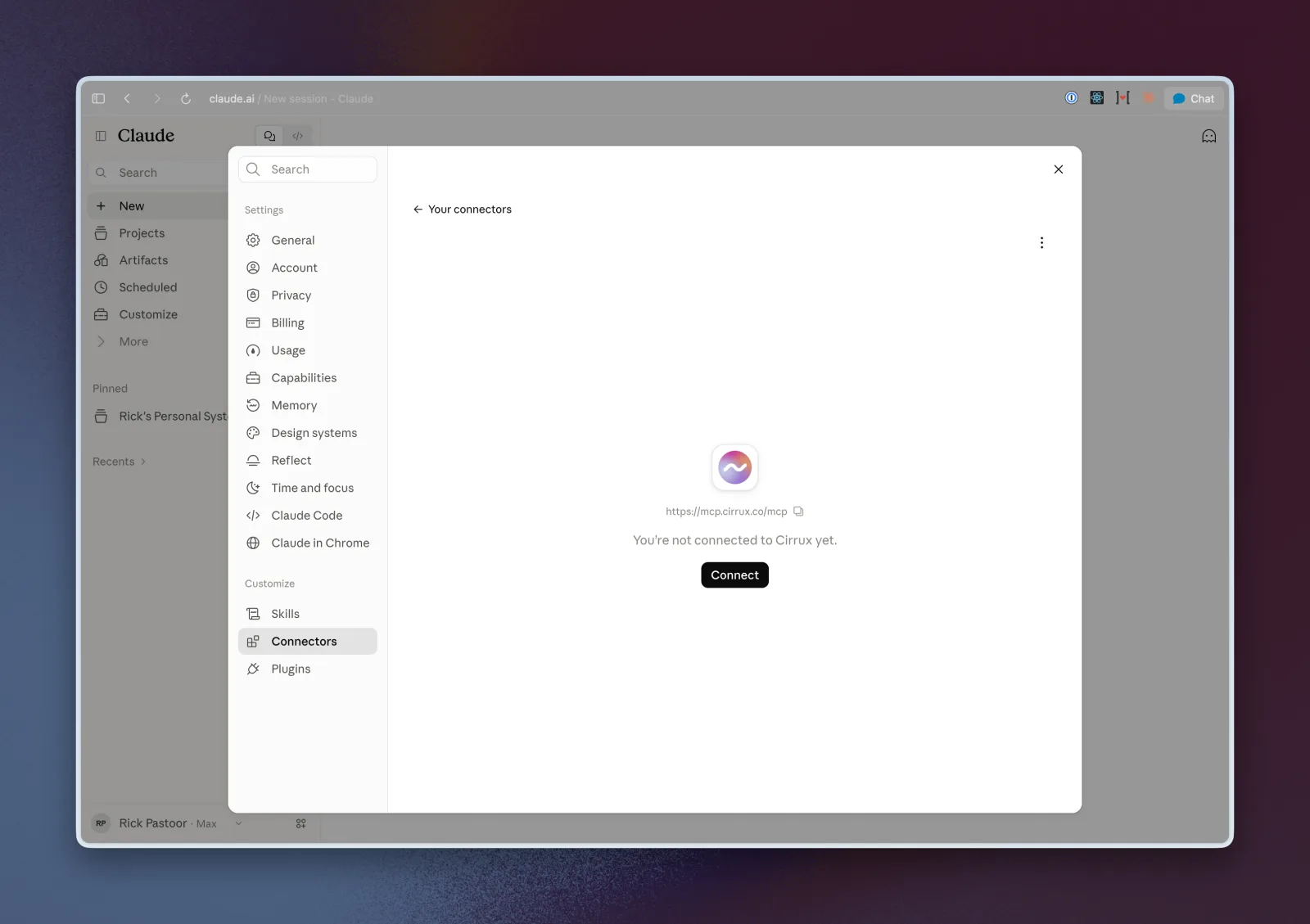
Cirrux now shows up in your connectors, but it isn’t connected to your account yet. Click Connect.
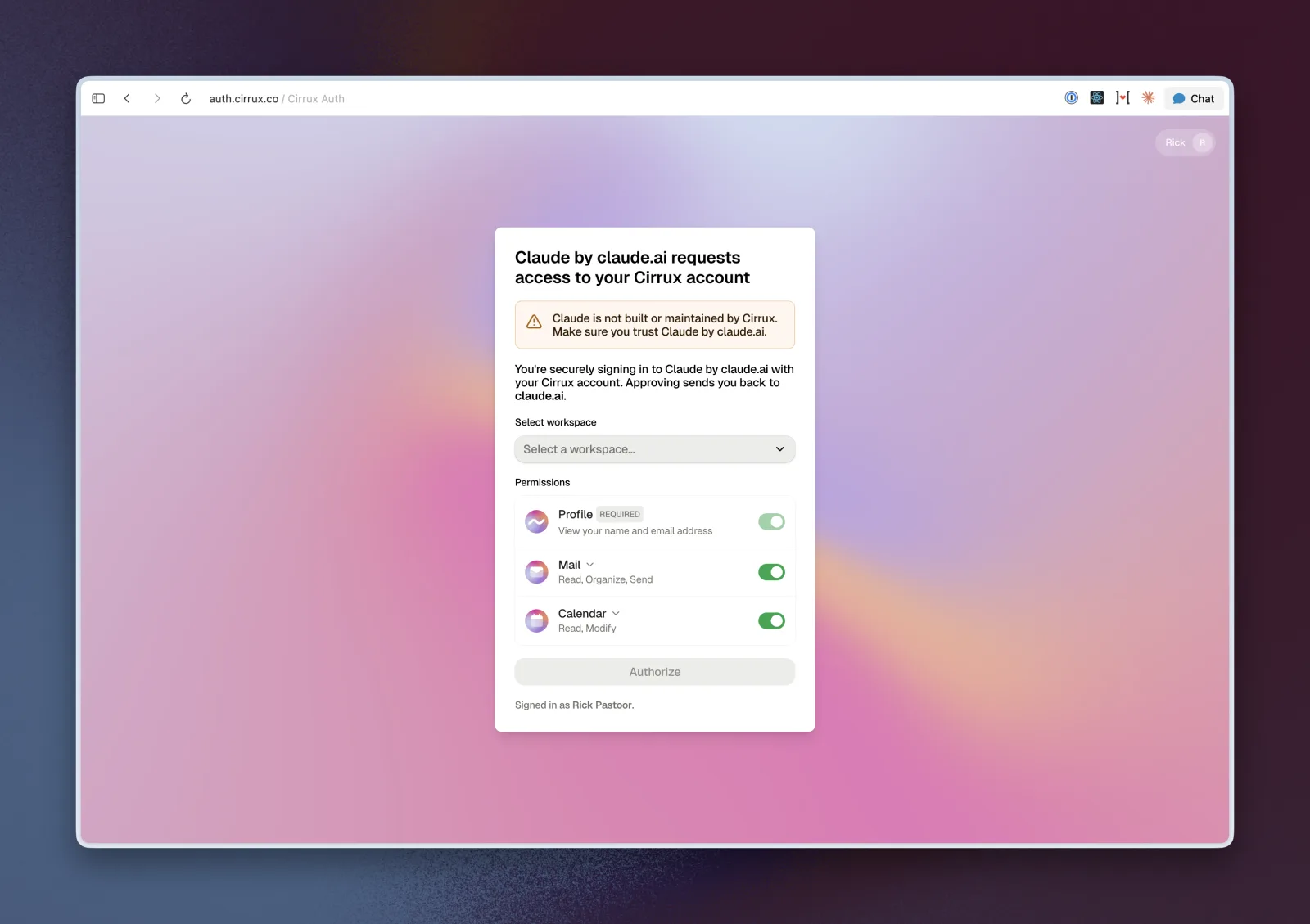
Sign in to Cirrux and approve
Claude sends you to Cirrux to sign in.
Select the workspace you want to connect and check the permissions. Mail and Calendar are on by default; open the dropdown next to either to grant only part of it, such as reading mail without sending. Then click Authorize.
Choose what Claude may do without asking
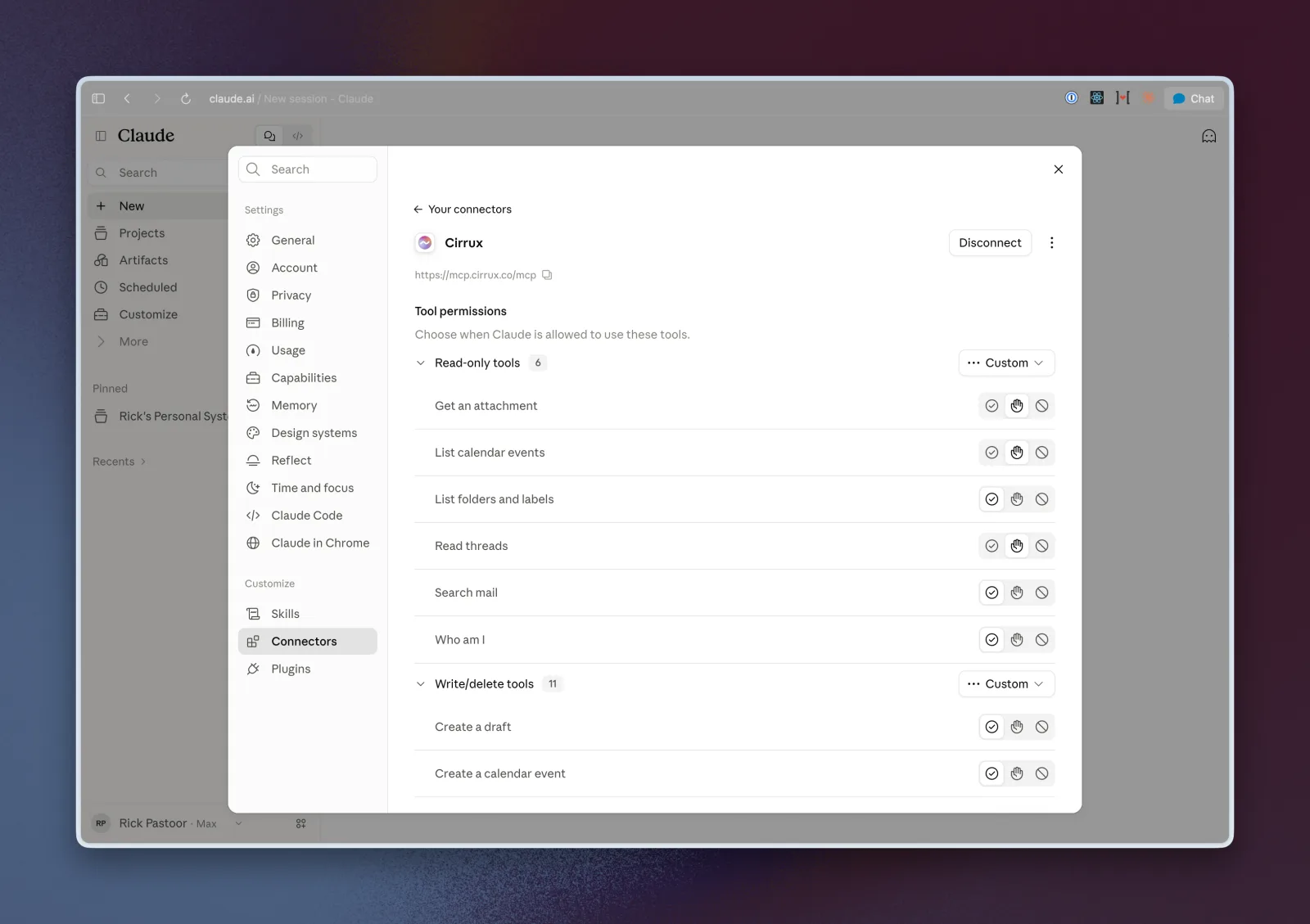
You’re back in Claude and Cirrux is connected. Under Tool permissions you can set each tool to always allow, ask first or never use. Read-only tools only look at your mail and calendar; write and delete tools change something. We recommend leaving Send a draft on ask first.
That’s it. Start a new chat and ask something like “Summarize the unread mail in my inbox.”