Connect ChatGPT to Cirrux
Add Cirrux as a plugin in ChatGPT and it can read and organize your mail, write drafts and manage your calendar for you. You set it up once on chatgpt.com.
You’ll need this server URL in step 2:
https://mcp.cirrux.co/mcpSteps
1
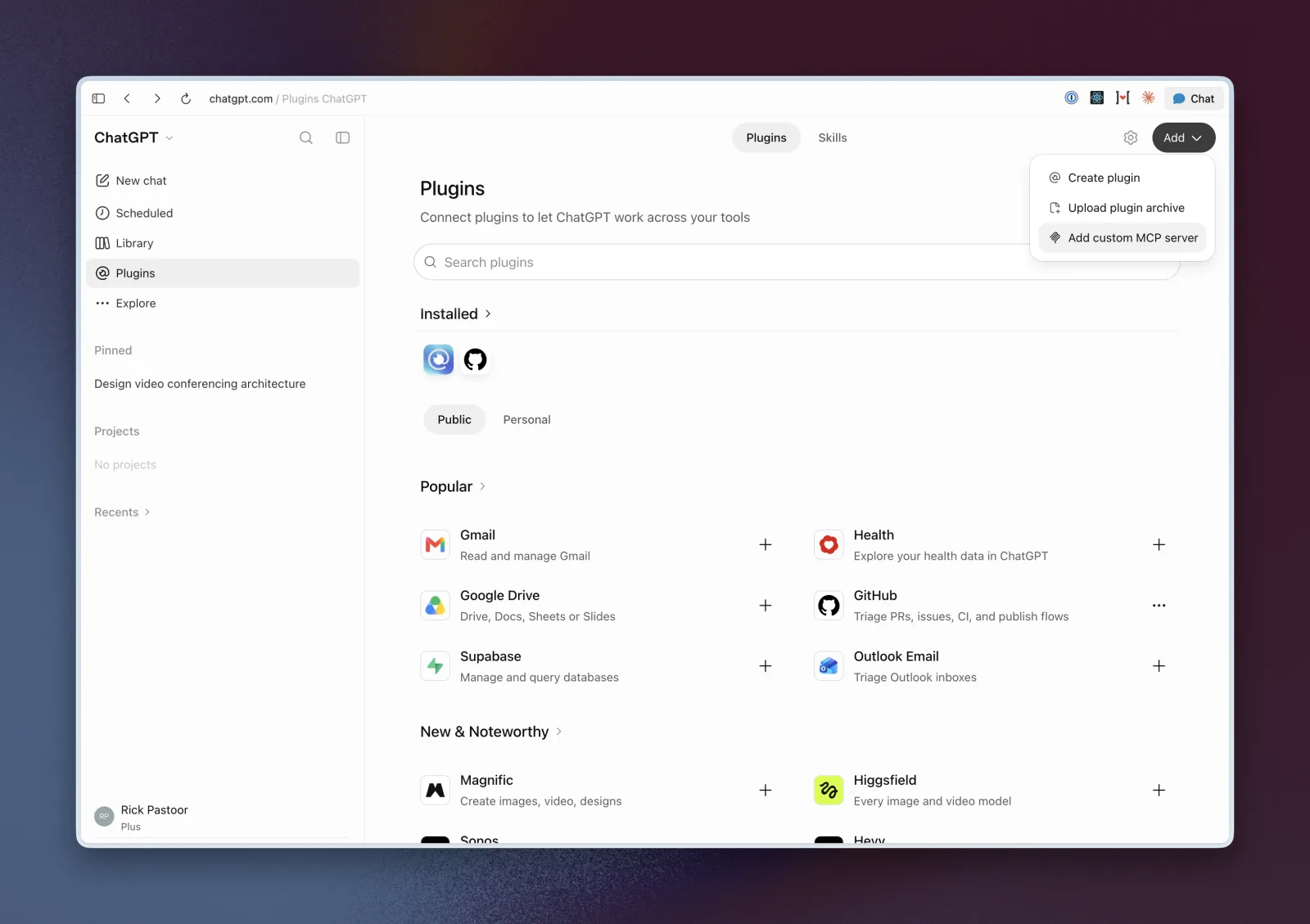
Open Plugins in ChatGPT
Go to chatgpt.com and open Plugins in the sidebar. Click Add in the top right and choose Add custom MCP server.
2
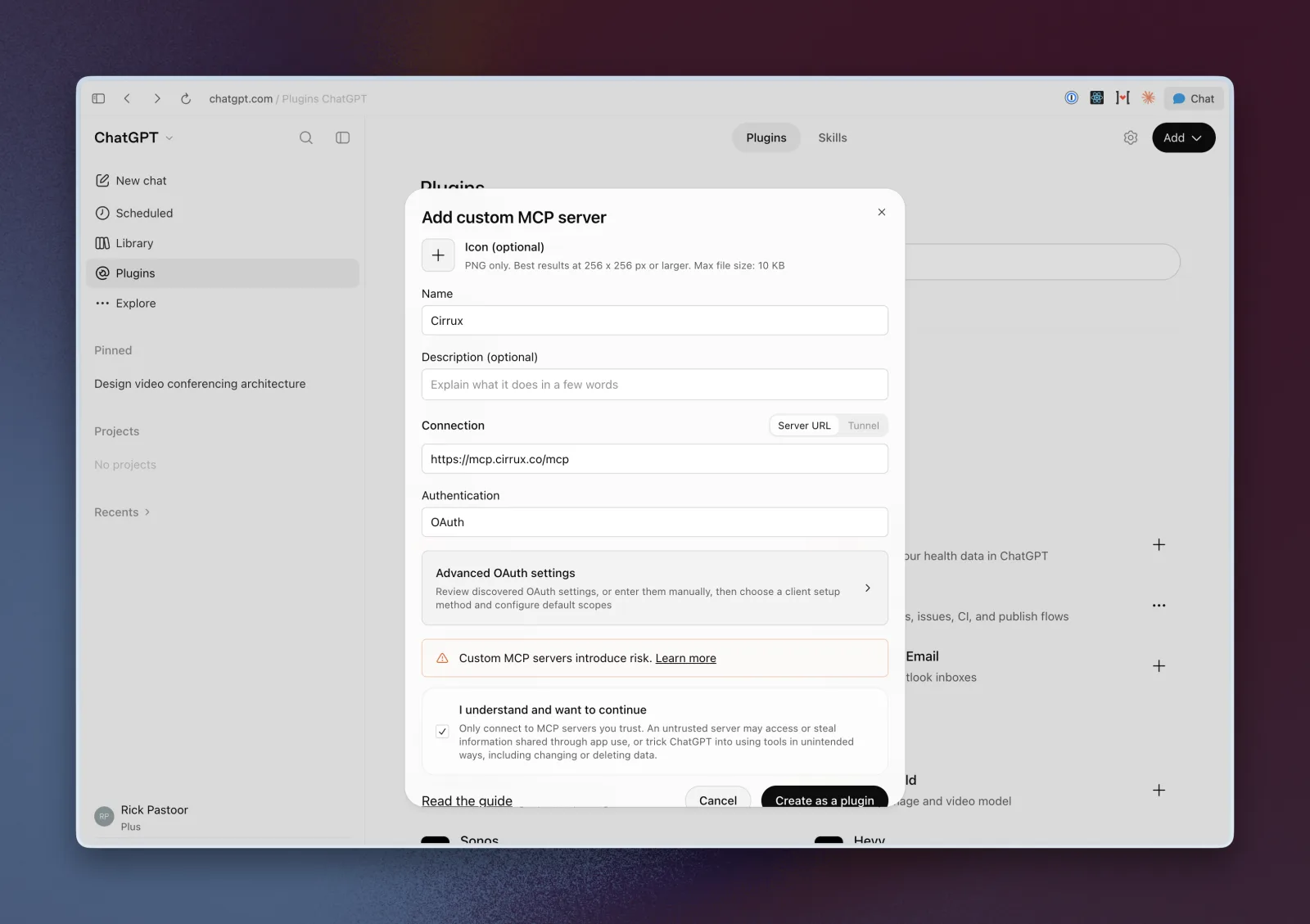
Add Cirrux as a custom MCP server
Fill in:
- Name: Cirrux
- Connection: keep Server URL selected and paste
https://mcp.cirrux.co/mcp - Authentication: OAuth. You can skip the advanced OAuth settings.
Tick I understand and want to continue and click Create as a plugin.
3
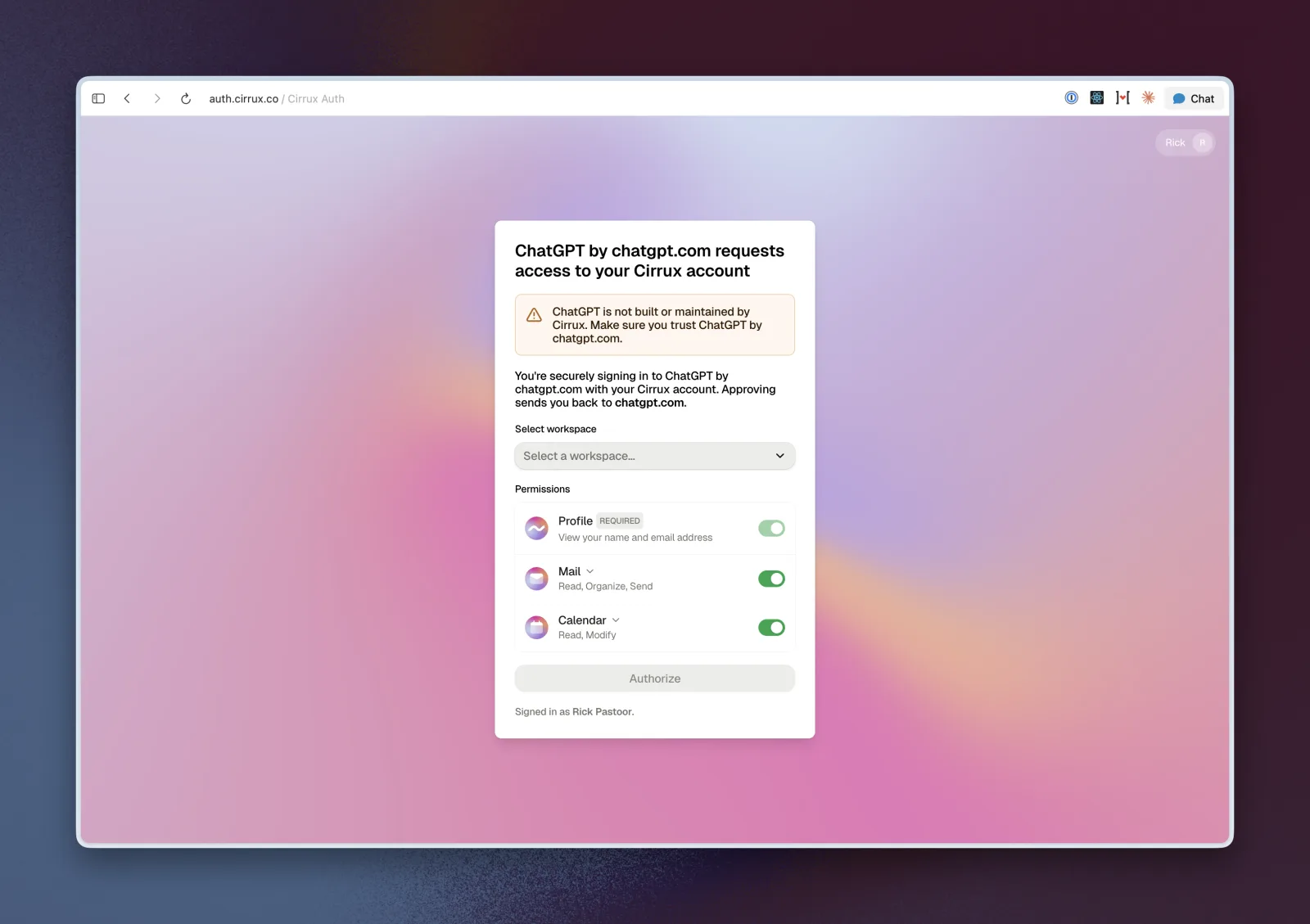
Sign in to Cirrux and approve
ChatGPT sends you to Cirrux to sign in.
Select the workspace you want to connect and check the permissions. Mail and Calendar are on by default; open the dropdown next to either to grant only part of it, such as reading mail without sending. Then click Authorize.
That’s it. Back in ChatGPT, ask something like “Which meetings do I have tomorrow, and who is invited?”