Cirrux Update – Shared Calendars and Smarter Filters
February 12, 2026
Hi everyone,
A warm welcome to all the new readers who joined since the last update. A bunch of folks asked me: what is your recommendation for making the switch to Cirrux? How do I do that without losing any emails? Here's the step-by-step migration guide. Do reach out if you need more info or if I can help in any way.
Last week, I shipped a feature I've been looking forward to for a while now: shared calendars. Alongside that, there are some nice improvements to email filters and Cirrux Sync, and a long list of smaller fixes and improvements.
Shared calendars within your workspace
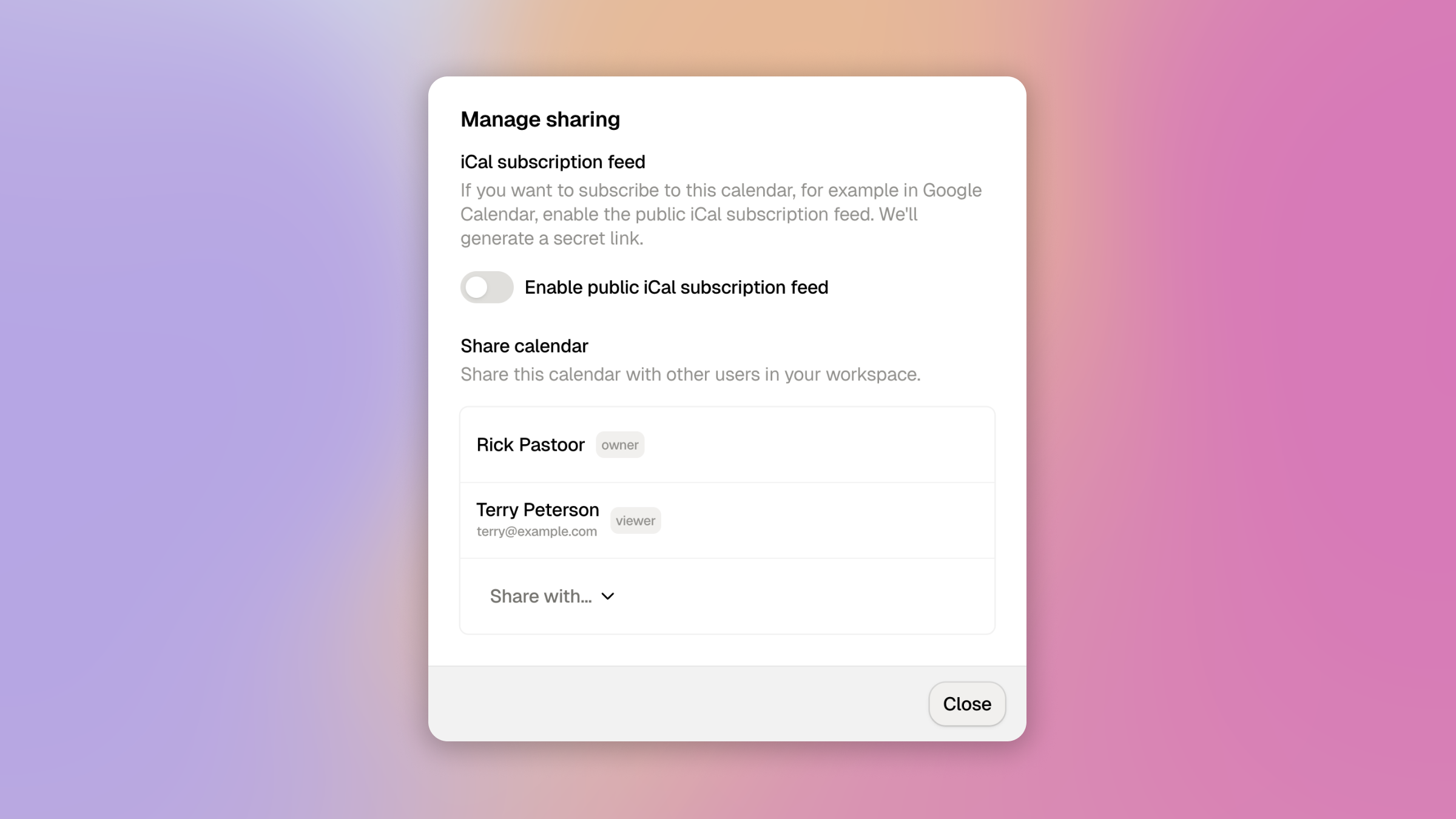
You can now share calendars with other members of your workspace. Whether you're running a family workspace or a small team, this makes it easy to stay in sync. Head over to your calendar settings to share any of your calendars with your workspace members. You can select whether the other person can only see (read only) or also make edits to your calendar.
For now this works between members of the same workspace—sharing calendars with any Cirrux user (even across workspaces) is coming soon.
Filter emails by contact or contact group

Email filters just got a lot more powerful. You can now filter based on whether the sender is in your contacts or not, or whether they belong to a specific contact group. This is great for automatically organizing emails from people you know—or flagging messages from unknown senders.
Combined with the existing filter options (sender, recipient, subject), this gives you a lot of flexibility to keep your inbox tidy without thinking about it.
Cirrux Sync: auto-label imported emails
Cirrux Sync now has an option to automatically add a label to all emails it imports. This makes it easy to see at a glance which emails were pulled in from your Google account—and more importantly, it helps you identify which email addresses still need to be updated to your new Cirrux address.
Sync now also handles Gmail labels that are added or updated after your initial setup: you can go to the settings to enable or disable labels. Enabling a new label will retroactively create the label and scan your old emails. Disabling will not remove existing labels, but will stop attaching the label to new emails that come in.
Notable fixes and improvements
- Emails in trash and spam are now automatically cleaned up after 30 days
- Improved spam detection: stricter checks on suspicious TLDs, better DKIM validation, and reduced false positives for newsletters from services like Substack and Mailchimp. The system actively looks for signals from emails that you are (un)marking as spam, so please keep doing that.
- iCloud Hide My Email addresses are no longer incorrectly flagged as spam
- Moving emails between folders was improved to prevent emails sticking around on one client after they were moved or deleted on another
- Google group calendars (holidays, birthdays) are now filtered out during Cirrux Sync import
- Windows-style timezone identifiers are now correctly recognized and handled in calendar events
- You can now re-create a previously deleted email address
- Improved read/flag status sync during incremental Gmail import
- Fixed an issue in updates for recurring calendar events which did not correctly apply timezone information to third party calendar providers like Google Calendar
- Fixed contact group creations and updates not correctly showing up across devices
- Fixed issues in parsing imported emails with invalid dates showing up with incorrect creation dates
- You can now create a new workspace in Cirrux to build a separate environment for your team and private mailboxes
What's next
- Shared calendars between any Cirrux users: Right now sharing is limited to workspace members. I'm working on opening this up so you can share a calendar with anyone on Cirrux.
- Fallback MX server: Building redundancy into the email delivery infrastructure, so incoming mail is accepted even during maintenance or disruptions.
As always, your feedback is incredibly helpful. Let me know what you'd like to see next—or if you run into anything.
Have a great rest of your week,
Rick