Cirrux Update – Account security, Unified Inbox and reminders
August 24, 2026
Hi everyone,
Hope you're doing well. I'm diving right in with a serious topic: security. Last week I became aware that someone copied the Cirrux landing page and is running it on a handful of top level domains I never purchased. I'm doing everything I can to get those sites taken down, but the danger is simple: if you enter your credentials on a site I don't own, whoever runs it instantly has access to your account.
So what can you do? The good news is that this is exactly what two-factor authentication was built for. Cirrux supports both the classic 2FA, where you enter a 6-digit code from an authenticator app, and the newer and even safer passkeys, where you sign in with Touch ID, Face ID or a hardware key. With either one enabled, a stolen password on its own is not enough to get in.
Here's how to improve the security of your account
There's always more I can do, and I have a list. I'll add nudges and reminders about your account security, and more notifications around suspicious logins. I already do a lot of monitoring for behavior that looks off and I'll keep investing in that. There are automated security checks running against the codebase, and I work with external folks who read along and audit the source code.
Always happy to answer any questions about this, and very open to ideas on this front.
Now onto the actual fun stuff.
Stop switching inboxes with the new Unified Inbox
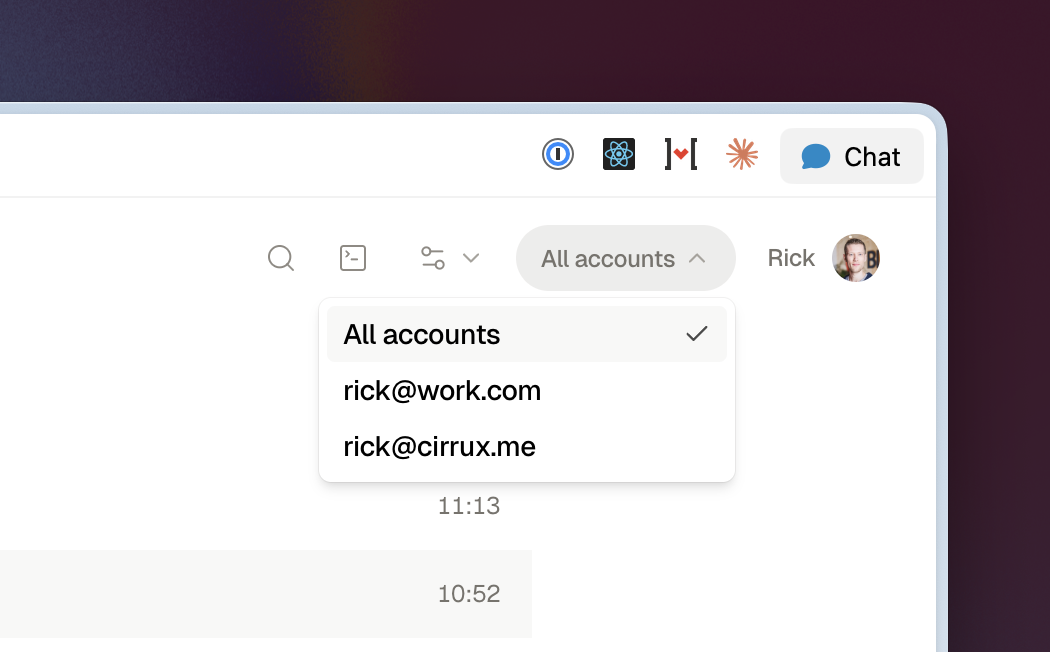
Separate inboxes are nice for keeping things organized, but when you're actually reading and processing email it's often nicer to have one overview with everything in it. Cirrux Mail now does that: switch to All accounts in the dropdown in the top right and your system folders merge across every mailbox you have access to.
Everything keeps working the way you expect. Search, selection, keyboard navigation, labels and moving mail all behave as usual, and each row still tells you which account it belongs to. Flip back to a single mailbox whenever you want to focus on just one.
Get reminders for sent emails
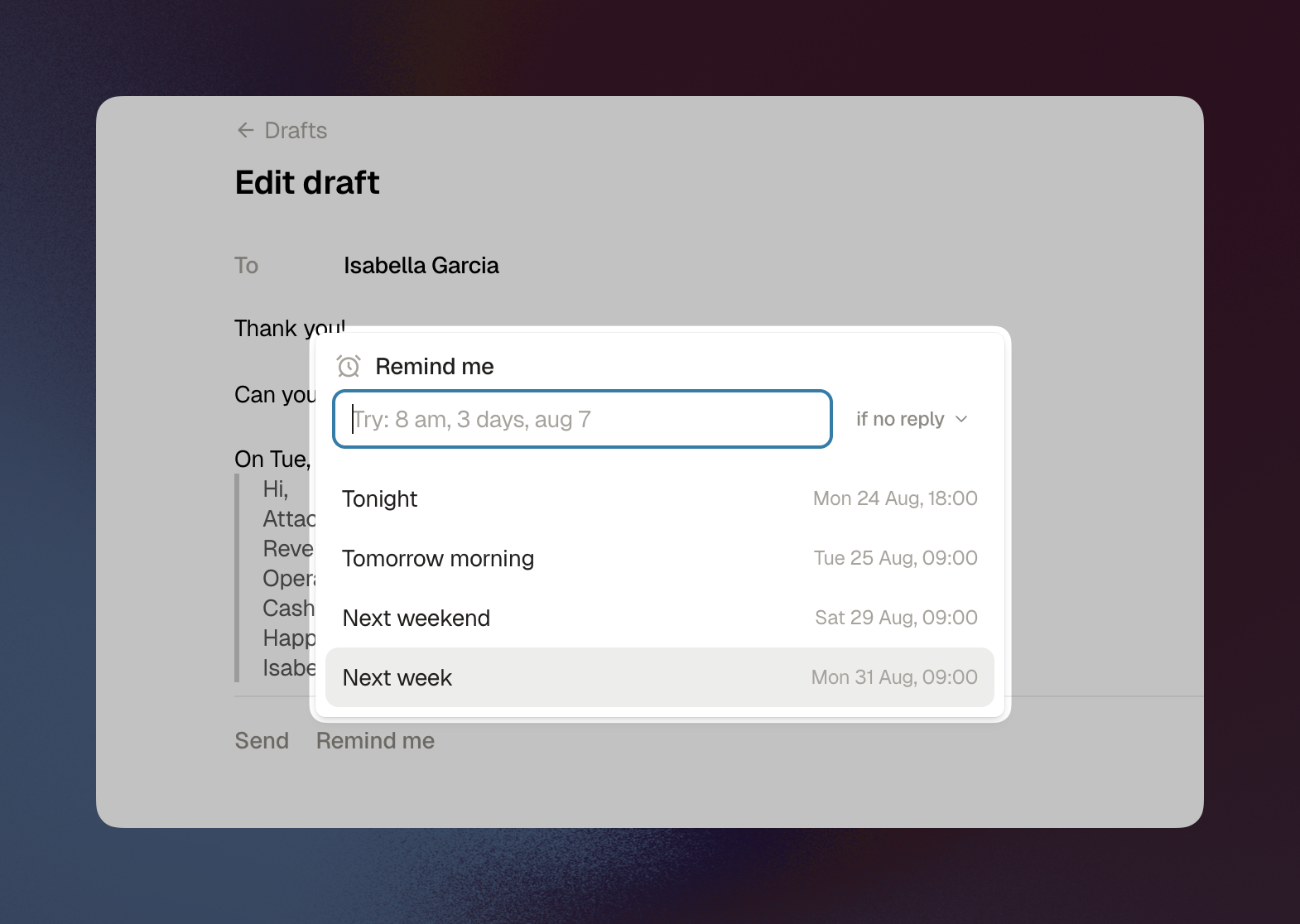
A lot of email goes unanswered, and it's easy for things to fall through the cracks. Careful people track it somewhere, but keeping a follow-up list in a separate system gets old fast.
With the new Remind me feature you can schedule an email to come back into your inbox at a date and time you pick. When you set the reminder you also choose the condition: bring it back always, or only if nobody replied. You'll find it in the composer while writing, and on any thread through the command palette or cmd+shift+H.
I've loved this feature in other email apps for years and I'm glad we have our own version now.
Filter improvements: newsletter detection and auto-archive
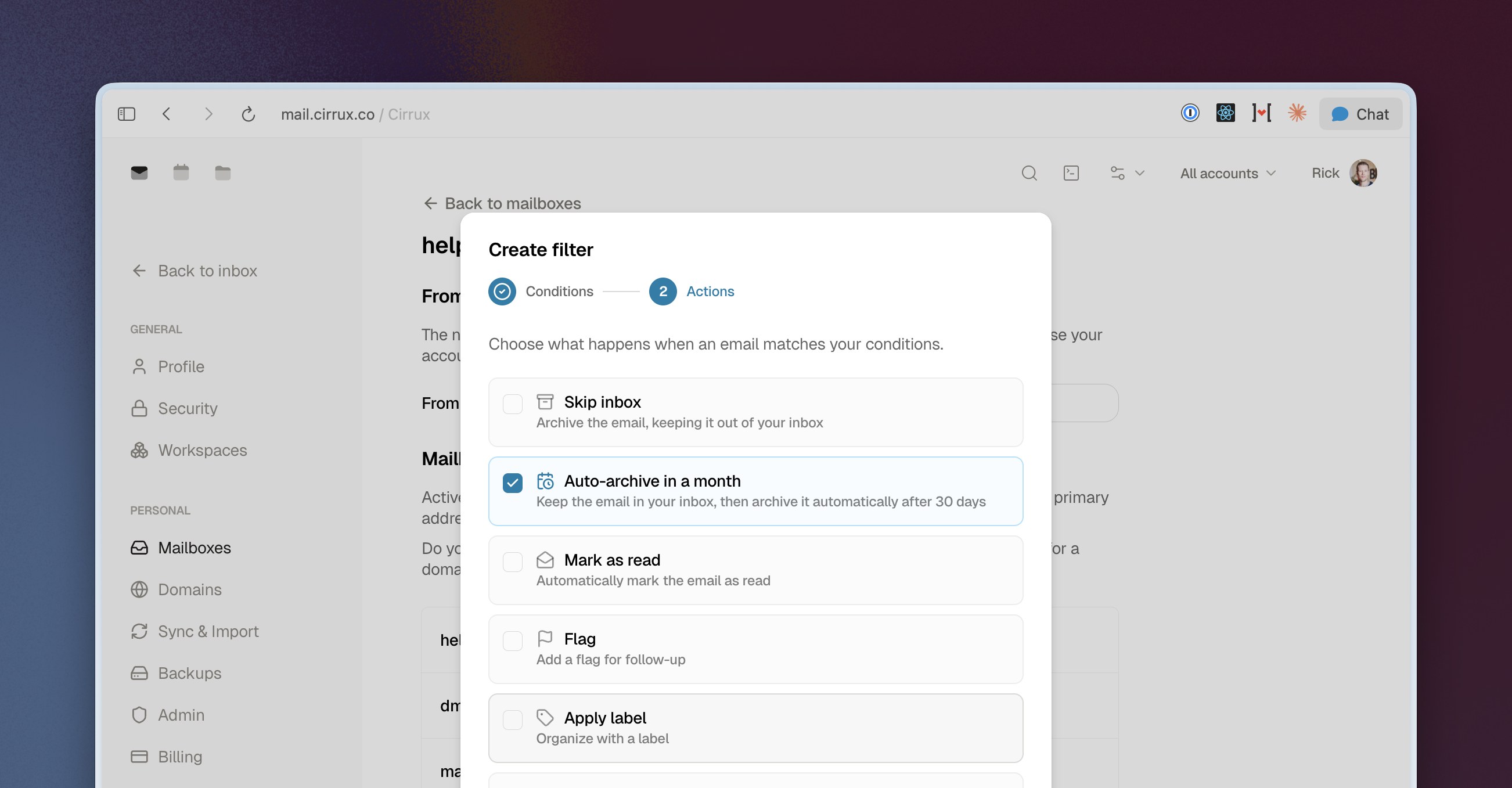
The less time we have to spend in our inboxes, the better. Two additions to email filters to help you organize automatically.
There's a new Newsletter condition that matches newsletters and bulk mail. Newsletters usually take up a decent chunk of an inbox, so a rule that files them into a folder makes a real difference.
Any filter can also get the new auto-archive action. It does what it says: matching emails move from your inbox to the archive after 30 days. Inbox zero without doing the work.
You can set both up under your mailbox settings (Settings → Mailboxes → Filters tab).
Fixes and improvements
- Improvement: Loading times for large inboxes in Cirrux Mail are dramatically better. The list only renders the rows you can actually see, so a mailbox with tens of thousands of messages opens as fast as a small one.
- Improvement: Changes you make while offline now persist across a refresh. When your client comes back online, they get pushed to the server.
- Improvement: You can switch between apps from the command palette and with shortcuts (
Gthen1,2, and so on). - Improvement: New icons across the apps.
- Improvement: Labels can now have a color, and you can show or hide labels and the preview snippet in the message list.
- Improvement: If you want to add a label to an email and start typing a name that doesn't exist yet, you can now create it right there.
- Improvement: Autocomplete in mail and calendar now always includes everyone in your workspace, not just people you've mailed before.
- Improvement: On mobile you can reply, reply all or forward each email in a thread individually with inline buttons, instead of only the last one.
- Improvement:
cmd+ain the editor now also selects your signature, and blocks like a signature or a quoted reply can be removed with a single backspace. - Improvement: In Drive you can now create a folder or start an upload from the trash. The file lands in your home folder and you get taken there.
- Improvement: The domain validator now detects when you have more than one SPF record. Having two is not allowed and quietly breaks authentication, so it now tells you and helps you fix it.
- Improvement: DMARC parsing for managed domains got clearer, including feedback on duplicate DNS records.
- Improvement: The DNS update email is more specific when we detect an MX record conflict.
- Improvement: The deliverability digest now reports what receiving domains actually told us, instead of only our own view.
- Fixed: The spam filter's sender allow list skipped the DMARC check, which let spammers send mail that appeared to come from your own address. The allow list now only applies to senders that pass authentication.
- Fixed: Permanently deleting an email from spam added the sender to your allow list, which is obviously not what you want.
- Fixed: If you were working in the composer and refreshed the page, your most recent changes could be lost. They're saved now.
- Fixed: Blockquotes and lists rendered differently after sending than they did while writing.
- Fixed: The trash folder in Cirrux Mail wasn't correctly scoped to the mailbox you were looking at.
- Fixed: The bottom bar in mobile mail didn't show up when conversation view was turned off.
- Fixed: In the settings lists, the three dots menu didn't appear on iPad. It does now.
- Fixed: Some inline attachments never showed up for download. They do now.
- Fixed: Opening a thread or email from a deep link works even when your client doesn't have that message locally yet.
- Fixed: Interacting with your password manager in a dialog no longer closes the dialog.
- Fixed: Removing your own labels from sent mail didn't stick.
What's next
- Cirrux Calendar: This week I'm wrapping up the calendar. There are a few loose ends left, so I expect to open it up to everyone later this week.
- Cirrux Docs: Straight after calendar. Most requested thing on the list and I'm excited to start.
- Sync for Outlook: Still the last big migration path. IMAP, vCard and ICS import already get you moved, but ongoing sync would make it painless.
As always, don't hesitate to reach out. Last week I jumped on a quick call with a new team to help them migrate and double check their settings. Moving email can feel daunting, so if I can help in any way, I'm here.
Cheers,
Rick