Cirrux Update – Cirrux Drive, IMAP importer and more
May 18, 2026
Hi everyone,
When I was creating a first set of sketches for the Cirrux Workspace, it had five components: identity–meaning some way to authenticate, email, calendar, writing and files. I mostly try to ignore looking at that list too long, since my head starts spinning at the amount of detail and work. Instead, I put my head down and started to work. I built the foundation for email and calendar, and a central identity to securely sign in and manage access. I decided to not start with building my own clients, but leveraging what is already out there, to make switching easier and launch faster. With that in place, I can start to build on top now.
With anything I’m adding, I’m constantly thinking about how I can build things in such a way so I can easily reuse it. Building a first importer takes a bit of time, but the second one is a lot easier. The first client took some time, but the second reuses many components. So after launching Mail roughly two months ago, I’m launching a second one today: Cirrux Drive. I’ll show it to you in a second.
That’s not the only update for today, I’m also launching a one-time IMAP importer so you can pull email in from any existing provider. And last but not least: an ICS importer for calendars, a bunch of domain management improvements, and a long list of editor and composer polish.
As always, please keep the feedback coming, big or small. Bugs first, features second is still the rule around here, and the fastest way I find out about edge cases is when you tell me.
Let's dive in.
Cirrux Drive
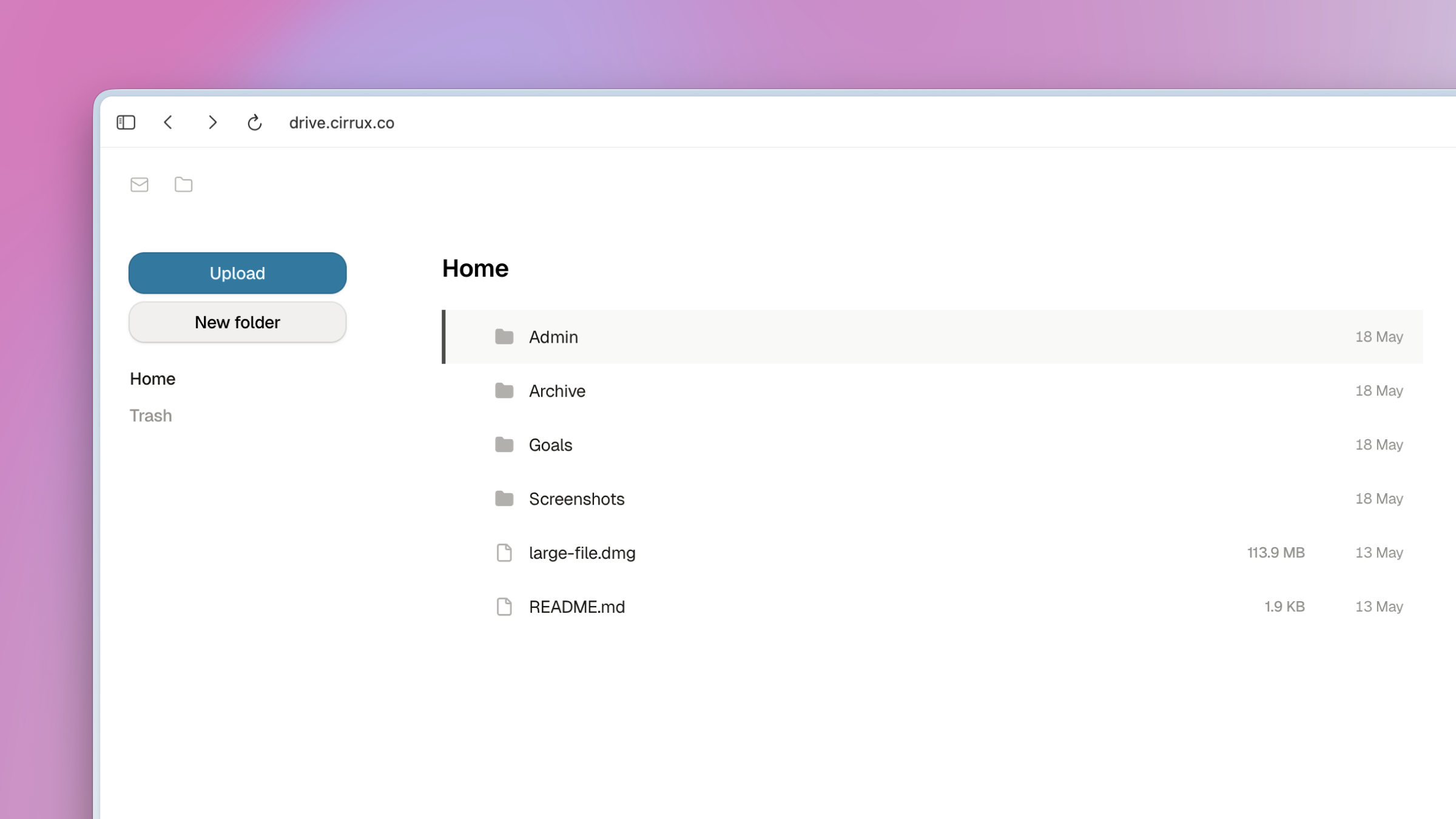
Cirrux Drive is a big piece of infrastructure and a major building block of the workspace: a place to store and share files alongside your email and calendar.
It ships with the basics you'd expect: drag and drop files (or whole folders), multiselect with keyboard shortcuts, move, rename, trash with undo, and a storage indicator so you know where you stand. It's available on the Cirrux plan with 20GB included, and Cirrux Plus bumps that to 100GB if you need more room.
This is v1, so I've deliberately kept the surface small while I work out the kinks at scale. Sharing, richer previews, and a few other things are queued up next. If you find something that feels off, please let me know.
Also, good to know: your files are stored and replicated multiple times, and there are multiple layers of encryption in place to protect your data.
One-time IMAP import
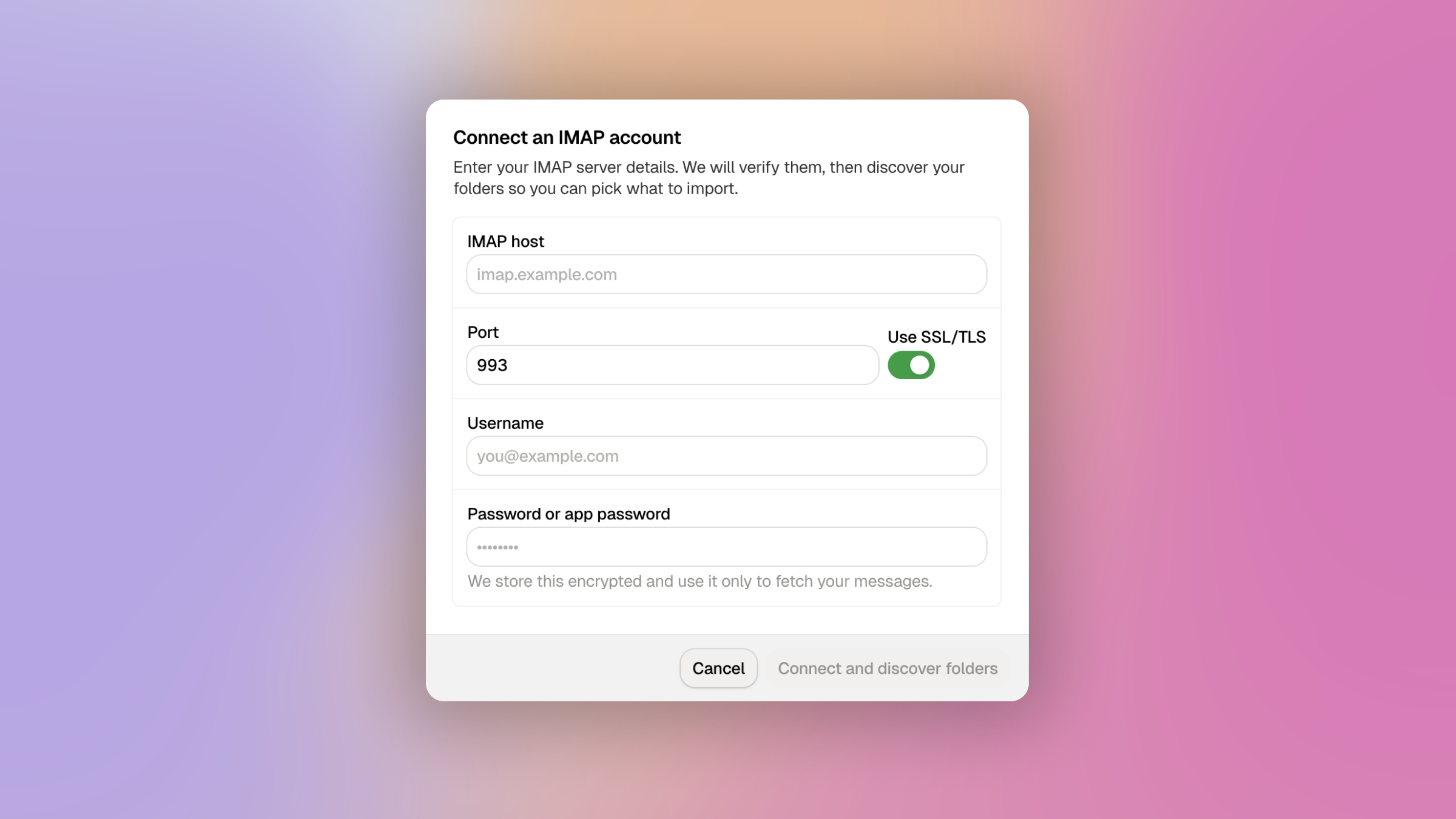
If you've been wanting to move your email to Cirrux but couldn't because you weren't on Google, this is for you. The new IMAP importer connects to any IMAP server and pulls your existing email into a Cirrux mailbox in one go.
Setup is a wizard: enter your server, credentials, and pick a destination mailbox. From there it runs in the background and reports progress per folder. I've spent a fair amount of time hardening the ingest phase so it survives flaky connections, stubborn servers and large folders, to make sure all your email will arrive on my end safe and sound.
This is a one-time import (not ongoing sync). I saw some feedback already from folks that would love to have it turn into an hourly sync too. Do let me know if that’s something you would want, because I would love to learn more about that use-case.
ICS calendar import
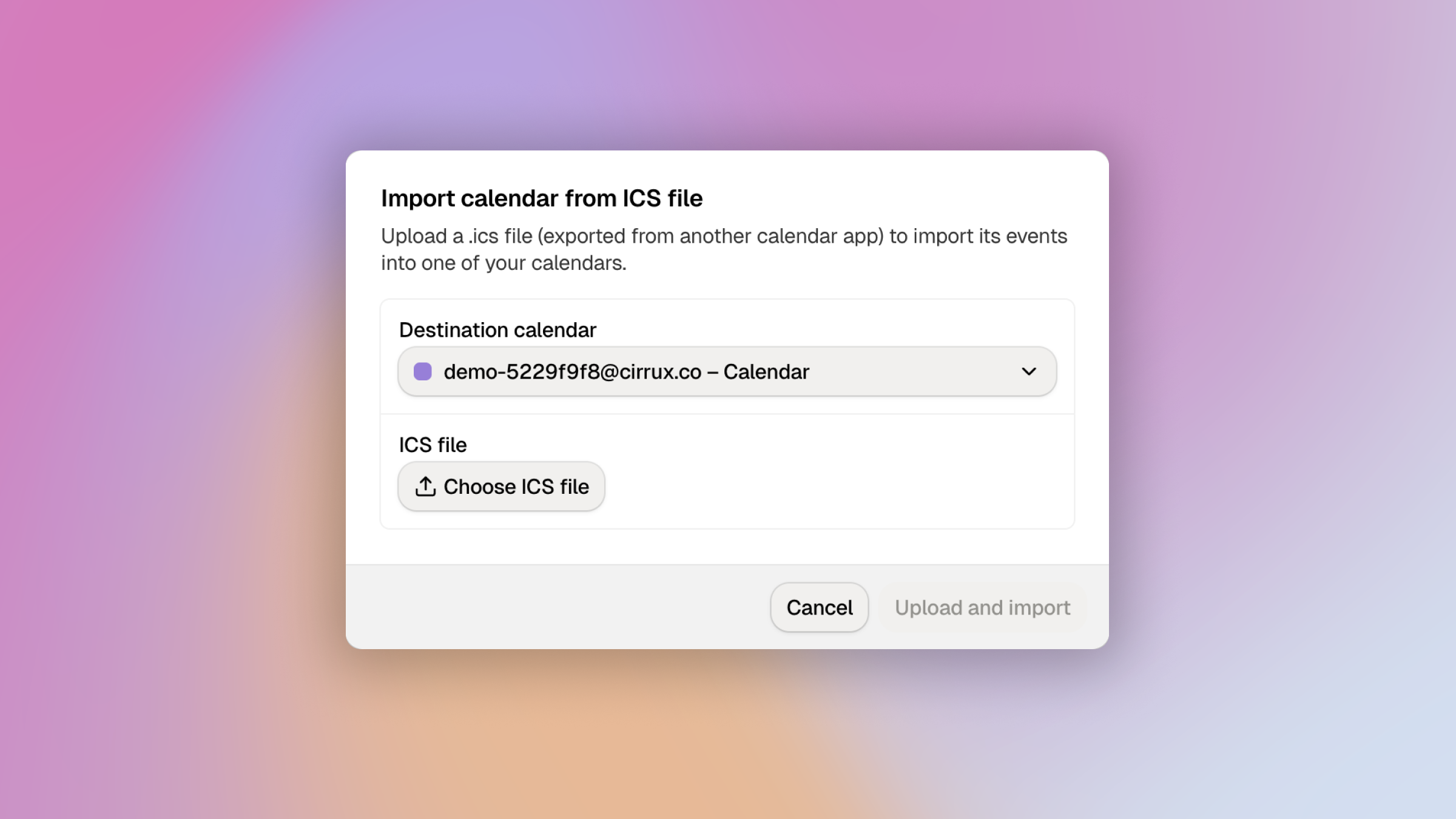
Smaller companion to the IMAP work: you can now upload an ICS file to import events into one of your Cirrux calendars. Handy if you're moving over from a provider that gives you a calendar export, or want to bring in a one-off batch of events.
Some calendars also offer the option to import ICS files, but the trouble with that route is that it’s hard to distinguish whether I should start sending out invites or not, since to me all those events look fresh. The new importer never sends out emails to attendees, so no unexpected email bombs.
Domain management improvements
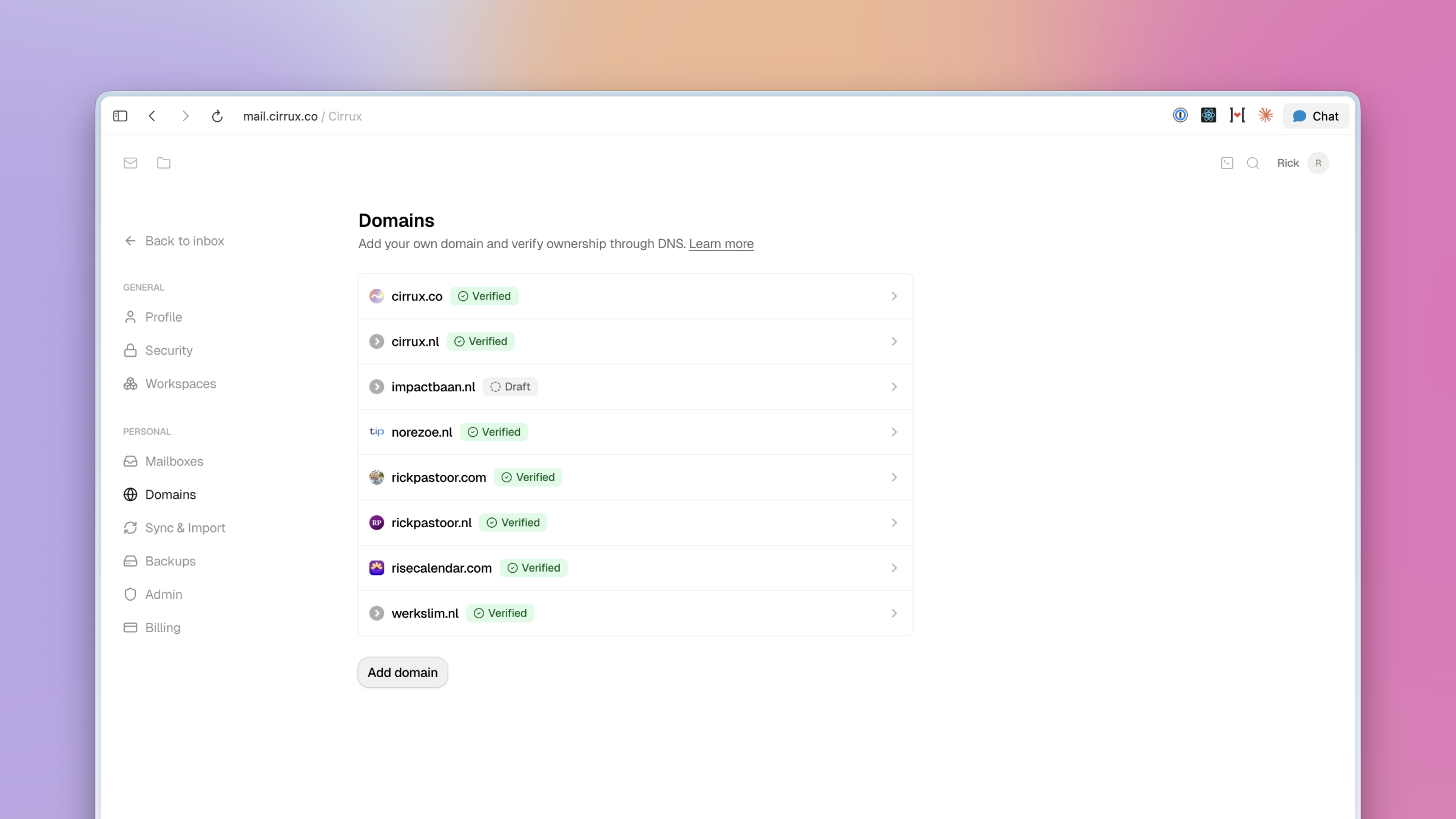
The Domains page in Settings got a proper pass:
- Draft status for newly added domains, so adding a domain no longer immediately triggers monitoring noise before you've finished configuring DNS.
- SPF monitoring and merging: Cirrux now observes your actual SPF record and, if you already have one, suggests a merged version that preserves your existing entries instead of overwriting them.
- Favicons next to each domain so the list is easier to scan, sorted alphabetically by name.
Fixes and improvements
- Improvement: The editor now auto-detects links as you type or paste them. No need to manually format anymore.
- Improvement: Pasting recipients into the composer recognizes many more formats (mixed name/email, multiple separators, etc.).
- Improvement: Recipient pills that only show a name now have a tooltip with the full email address on hover.
- Improvement: The popout composer keeps the recipients and send buttons in view at all times.
- Improvement: All three composer variants (full page, inline, popout) now autoscroll to keep your caret in view as you type.
- Improvement: Scrolling inside a long draft in the popout composer no longer also scrolls the page behind it.
- Improvement: Dialogs now render against a subtle backdrop so it's clearer what has focus.
- Improvement: Outbound email retry window extended and recipient addresses are normalized, improving deliverability for tricky cases.
- Security: You can no longer enable "force passkeys" without having actually signed in with one of your passkeys at least once. A small safety net so you can't accidentally lock yourself out.
- Security: Adding a new Passkey to your account requires entering your password or a two-factor authentication code.
- Fixed: Passkey sign-in on Firefox with Bitwarden would sometimes fail to detect the key.
- Fixed: Editor toolbar options sometimes wouldn't appear in the full-page editor.
- Fixed: Lists, horizontal lines, and headings are no longer auto-detected immediately after a hard line break (shift+enter), which was creating accidental formatting.
- Fixed: Pressing enter at the very beginning of a heading now prepends a new paragraph instead of turning the heading into a paragraph.
- Fixed: Archiving an email from an IMAP client could in some cases leave the email visible in both the inbox and archive in webmail.
- Fixed: Dark mode issues on the Backups, Sync, and Import pages in Settings.
What's next
- Drive sharing and previews: A few obvious next steps for Drive--sharing files or folders with workspace members and richer previews for common file types.
- Cirrux Sync for Outlook: The biggest remaining migration path.
Cirrux Calendar and Cirrux Docs are at #3 and #4. When I asked the Superfans in Telegram what they’d prioritize, actually most picked the calendar over docs. Would you agree? Or not? Or would you suggest something else entirely? Let me know!
Have a great week,
Rick