Cirrux Update – Cirrux CLI, drive sharing and more
June 24, 2026
Hi everyone,
One of the things I keep coming back to is that Cirrux shouldn't be a walled garden. Your email and files are yours, and you should be able to get at them however you like. That can be through the web app, through any IMAP or CalDAV client, and now also straight from your terminal. So the headline of this update is the brand new Cirrux CLI, a proper command-line tool for your mailboxes, threads, emails and files.
Alongside that I'm shipping drive sharing, plus a long list of improvements and fixes across all apps.
As always: bugs first, features second. If something feels off, the feedback button (or just an email) is the fastest way to get it on my radar. Let's dive in.
The Cirrux CLI
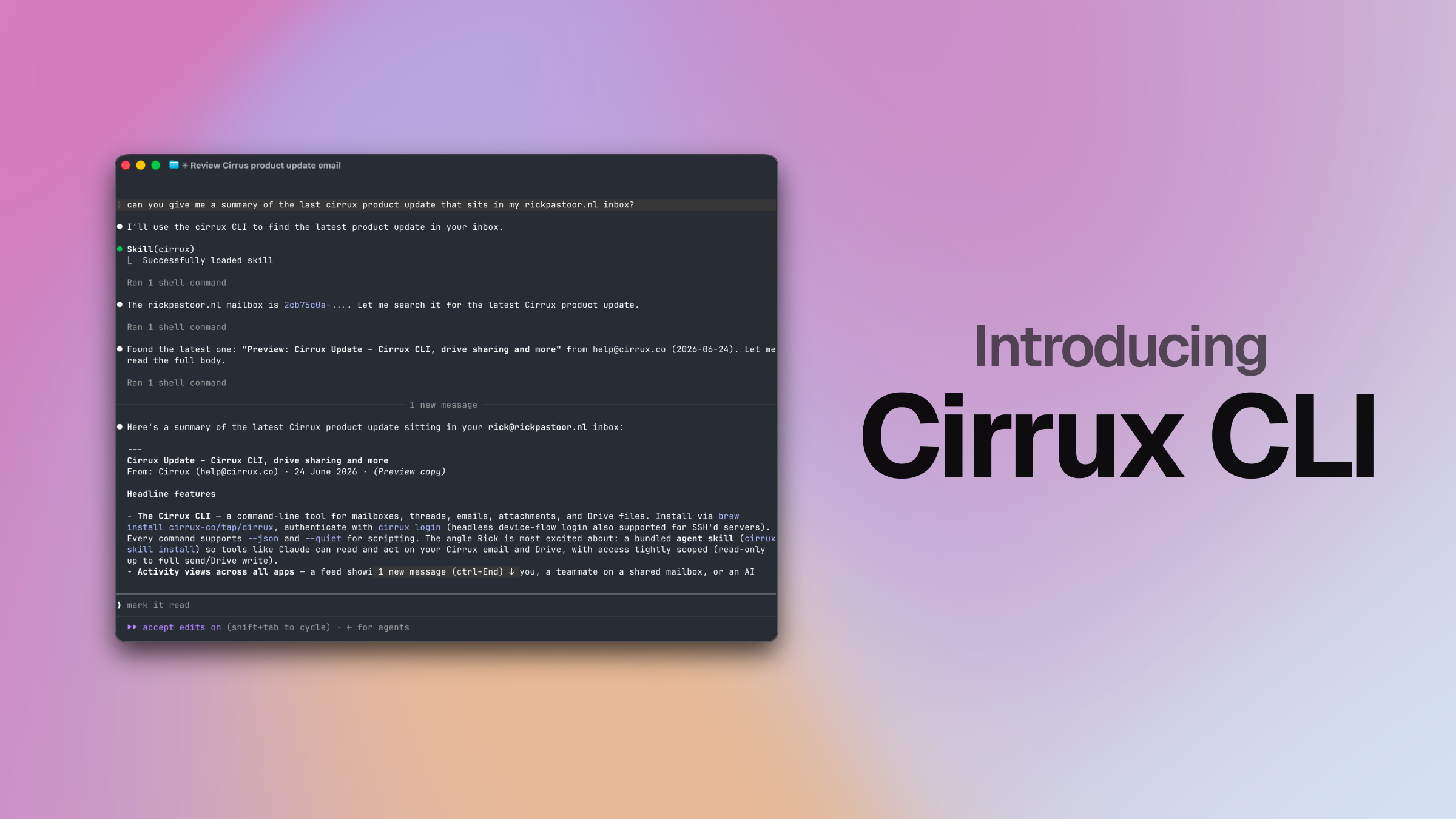
The Cirrux CLI lets you browse mailboxes, read threads and emails, download attachments, and manage drive files from your terminal. Install it with a single command (brew install cirrux-co/tap/cirrux), run cirrux login to authenticate in your browser, and you're off. There's even a headless device-flow login for servers you've SSH'd into.
Everything is scriptable. Every command supports --json for clean machine-readable output and --quiet to keep things tidy, so you can pipe results into other tools, search across your mailboxes, batch-download attachments, or sync files up and down from a script. A few examples: cirrux thread search "from:alice is:unread", cirrux email content <id> raw > message.eml, or cirrux drive upload --file ./report.pdf. The full command reference lives on the CLI help page.
What I'm most excited about is the AI angle: the CLI ships with a bundled agent skill (cirrux skill install), which means tools like Claude can read and act on your Cirrux email and drive on your behalf. This is the first step toward making Cirrux a first-class citizen in the increasingly agentic way a lot of us are starting to work.
At the core of Cirrux, there's a powerful set of APIs the CLI interacts with. Access to those APIs is strictly limited by the selection of scopes you give it. Especially when working with AI, you probably want to keep a tight leash. Options range from read only access, allowing to make changes to existing emails, creating drafts and actually sending email. The same goes for drive.
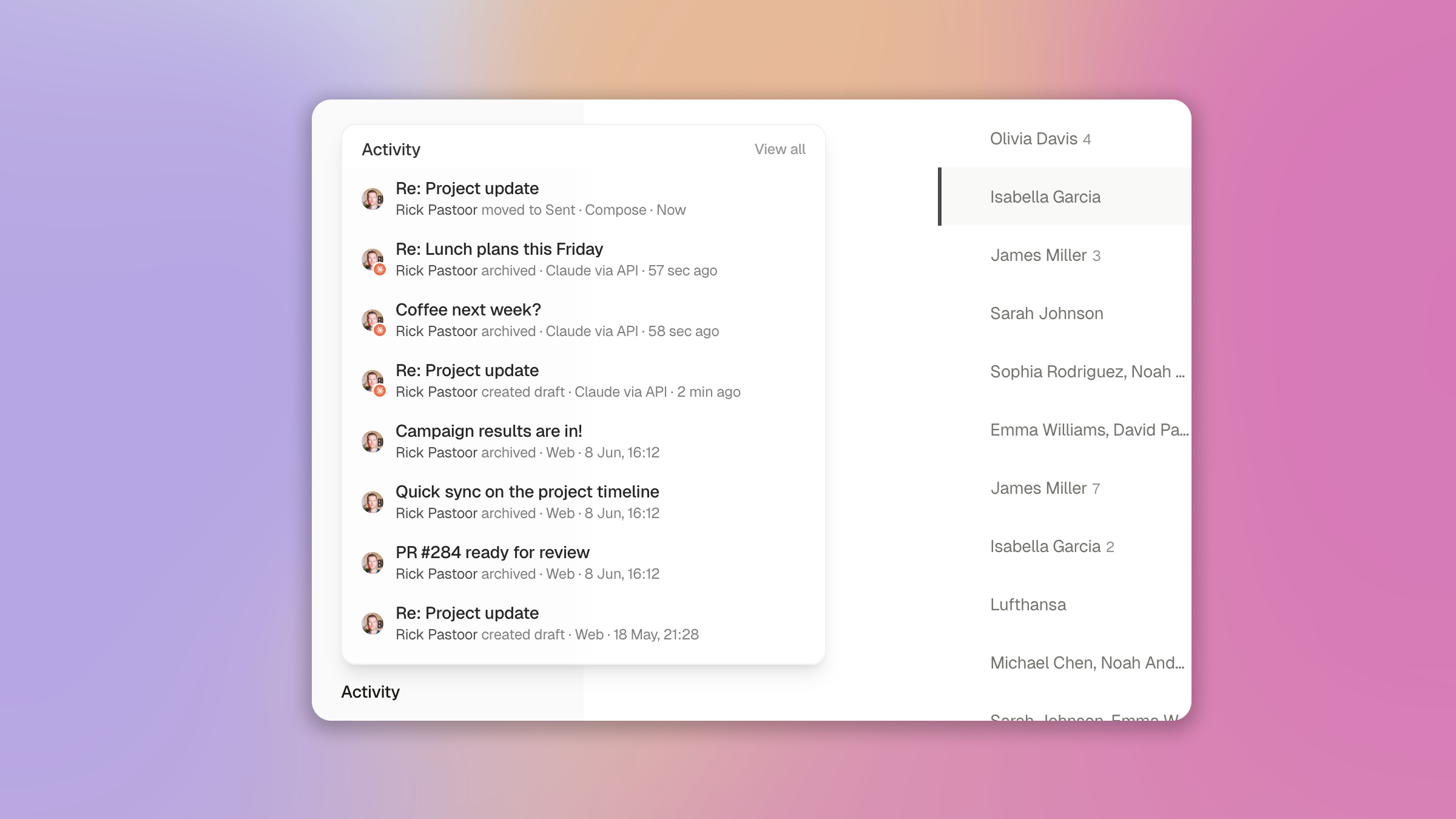
There's one more thing: handing an agent access to your data is a big deal. To me, it's pretty clear that we're going to see more and more things being done in the background. Amazing, but also: how can we know what actions were taken? This is why I'm also launching activity views across all apps. Whether it's you, a teammate on a shared mailbox, or an AI agent working through the CLI: any action shows up in a feed, so you can see exactly what your AI is doing. No black box: if Claude creates a draft, archives, or uploads to drive, it's right there in the activity view. To me that visibility is what makes giving an agent access feel safe rather than scary. You can find the activity view in bottom of the left sidebar.
Get started with the Cirrux CLI
Drive sharing
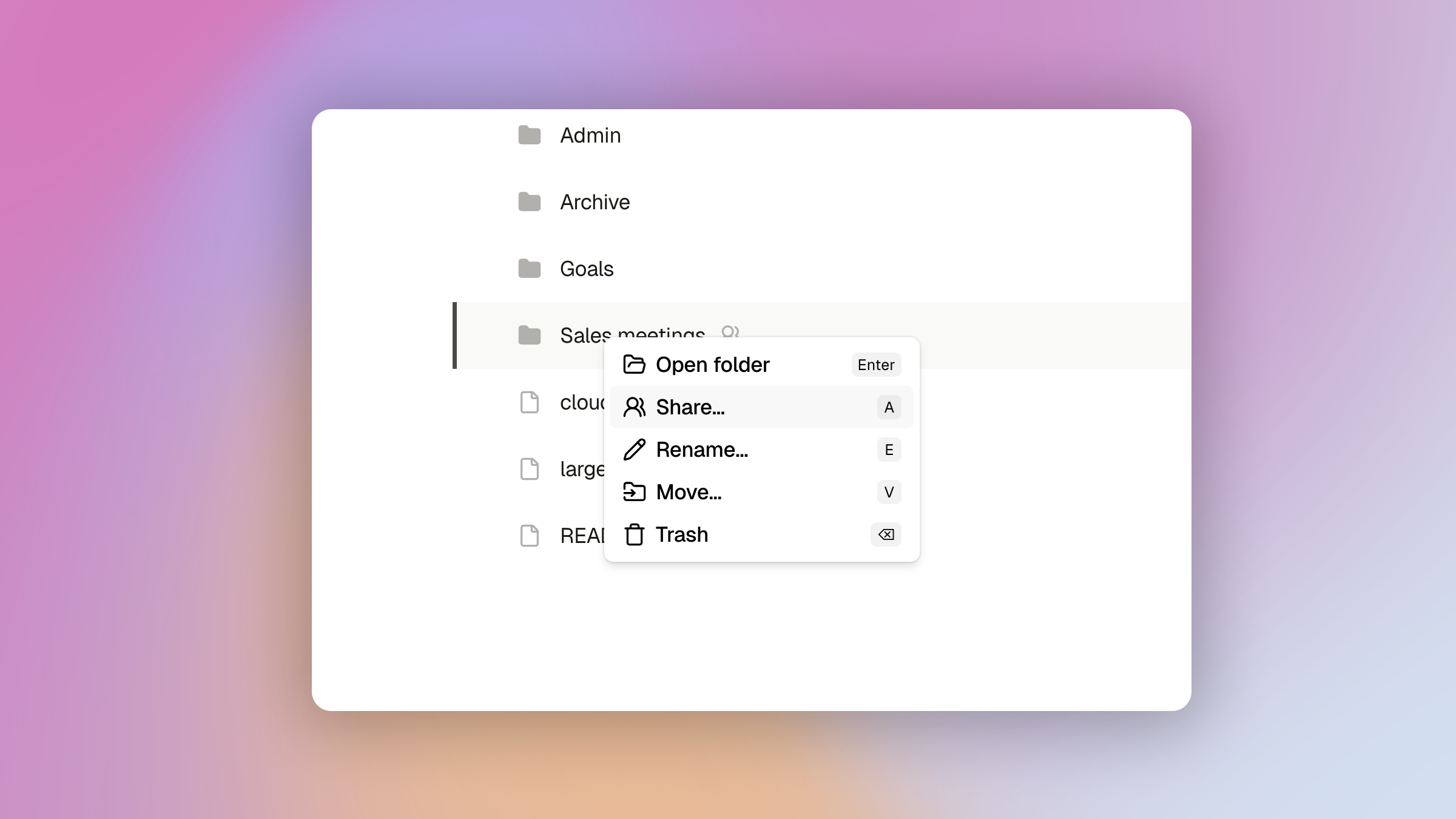
When I launched drive last month I deliberately kept the surface small, with sharing queued up as the obvious next step. It's here now: you can share a file or a whole folder with anyone in your workspace.
Open the share dialog, search for a workspace member, and give them access. Shared items get an icon so you can tell at a glance what's yours alone and what isn't, and everything someone shares with you collects in its own Shared section in the sidebar. The people you share with can work in those folders directly, so they can upload new files in that shared folder.
This is the start of drive becoming a properly collaborative space rather than just your own storage. Folder-level sharing across workspaces and a few finer-grained permission controls are next on the list.
Fixes and improvements
- Improvement: You can now import your contacts from a VCF (vCard) file. Almost every address book (Google, Apple, Outlook) can export to it, so bringing your contacts over is a quick upload instead of manual re-entry.
- Improvement: You can now add a recovery phone number as a second way back into your account if you ever lose access to your recovery email. You'll find it in Settings → Security.
- Improvement: You can now change a calendar's title and color, including calendars that are shared with you, under mailbox settings → Calendars. Everyone with access can adjust title and color independently, and it works over CalDAV too, so your tweaks stick whichever client you use.
- Improvement: You can now toggle your signature between rich text and raw HTML, for when you want full control over the markup.
- Improvement: While replying, you can switch an in-progress reply between reply and reply-all from the
cmd+kpanel. Reply-all now splits recipients between To and Cc (instead of dumping everyone in To), matching how other clients behave. - Improvement: You can now revoke someone's access to a shared mailbox.
- Improvement: Raw search now also matches recipients. Typing
person@domain.comwill also surface emails you sent to that person, not just ones from them. - Improvement: The thread list now scrolls along as you move up and down with the keyboard, and it no longer flips your selection just because your mouse happens to be hovering over a different row.
- Improvement: Move-to and label actions now correctly handle nested labels.
- Improvement: Sensitive actions now always ask for your password instead of sometimes falling back to a two-factor code, which could be confusing.
- Improvement: Dragging non-image files onto an email no longer suggests dropping them inline.
- Improvement: When addressing an email, people you've actually interacted with now correctly show up first in the contact suggestions.
- Improvement: When sending an email, the content no longer briefly blinks the previous revision before settling on the sent version.
- Improvement: You can now change your recovery email address.
- Improvement: You can now upload a profile image for your account.
- Improvement: You can now set a mailbox-level From display name override, so a mailbox can send under a specific name regardless of your account's default.
- Improvement: There's a new "Filter messages like these" action in the command palette, so you can jump straight from a thread to creating a filter pre-filled to match similar messages.
- Improvement: There's a new, custom PDF renderer for smoother inline viewing of attached PDFs, so no more downloading just to take a quick look.
- Improvement: You can now download the raw email (the full original
.emlsource) straight from the command palette, handy for debugging or archiving a message exactly as it arrived. - Improvement: The IMAP server got a round of performance work and is now a lot faster for large inboxes, so syncing and browsing big mailboxes in apps like Apple Mail and Outlook feels snappier.
- Improvement: Threads look a lot better on mobile, with cleaner spacing and layout that make reading on a phone much nicer. The archive and reply buttons now live in a sticky bottom bar, so they're always within thumb's reach as you scroll.
- Improvement: The backup mail server (secondary MX) is now completely decoupled from the rest of the stack and runs in a different datacenter in a different country. If the primary ever has trouble, incoming mail still gets accepted and held safely until things recover, now with no shared dependencies and real geographic redundancy.
- Improvement: Drive previously limited files to 1GB, this is now increased to 2GB (also via CLI)
- Improvement: Dark mode rendering of emails was often flaky, and the fallback was not great to look at. This is now a lot better (but still, dark mode email rendering is...difficult)
- Fixed: Mail search wouldn't return sent email. It now does.
- Fixed: Searching for something containing a slash now works.
- Fixed: You couldn't start a Google sync without also syncing calendars. Now you can opt out.
- Fixed: The filter editor made it look like you couldn't set up a partial from/to match. Fixed the misleading error state.
- Fixed: Filters no longer run on email marked as spam.
- Fixed: Previewing a PDF in the details view often used an expired download link. It now generates a fresh one when you request the download.
- Fixed: Arrow keys to scroll within a thread didn't always work.
- Fixed: After deselecting text in an email, the old selection could still show up when starting a reply.
- Fixed: Resolved some IMAP compatibility issues that were causing a few long-standing problems with Spark Mail.
- Fixed: IMAP search could crash on special characters. They're now handled correctly.
What's next
- Cirrux Calendar: The calendar client is coming together nicely. Aiming to launch the first version in the next couple of weeks. I happen to know a few things about building a calendar + because all the backend elements are already in place to make CalDAV work it's actually not that complicated. Looking forward to launching it as a major addition to Cirrux.
- Cirrux Docs: Probably the most requested one after Calendar. I'll work on it in July/August.
- Sync for Outlook: Still the biggest remaining migration path, and I'm already working on the foundation of it. Note that with the IMAP, vCard and iCal imports a migration is already possible, but this sync would take it to the next level.
Please keep hitting that feedback button! I'm doing my best to respond as quickly as I can.
Have a great week,
Rick