Cirrux Update – A simpler pricing model, auto-alias, passkeys and more
May 11, 2026
Hi everyone,
I keep postponing the task to wrap up this update, but it’s about time, so let’s dive in.
One of my rules for working on Cirrux is to prioritize bugs, always. Moving fast is fun, but working with a broken product isn’t. And while I have pretty good monitoring and logging in place, please do report anything that’s off. Big or small. Use any channel that you prefer: the feedback button in app, email or any other messaging app, it all works for me.
I’m currently working on getting the File storage and sharing component ready. I know a lot of you have been waiting on that in order to make the transition. One of the items I needed to tackle first was how I set up pricing. That’s all done now and much simpler than it was before. Details below.
Alongside that, there’s a long list of smaller improvements and fixes. Let’s dive in.
One plan, everything included
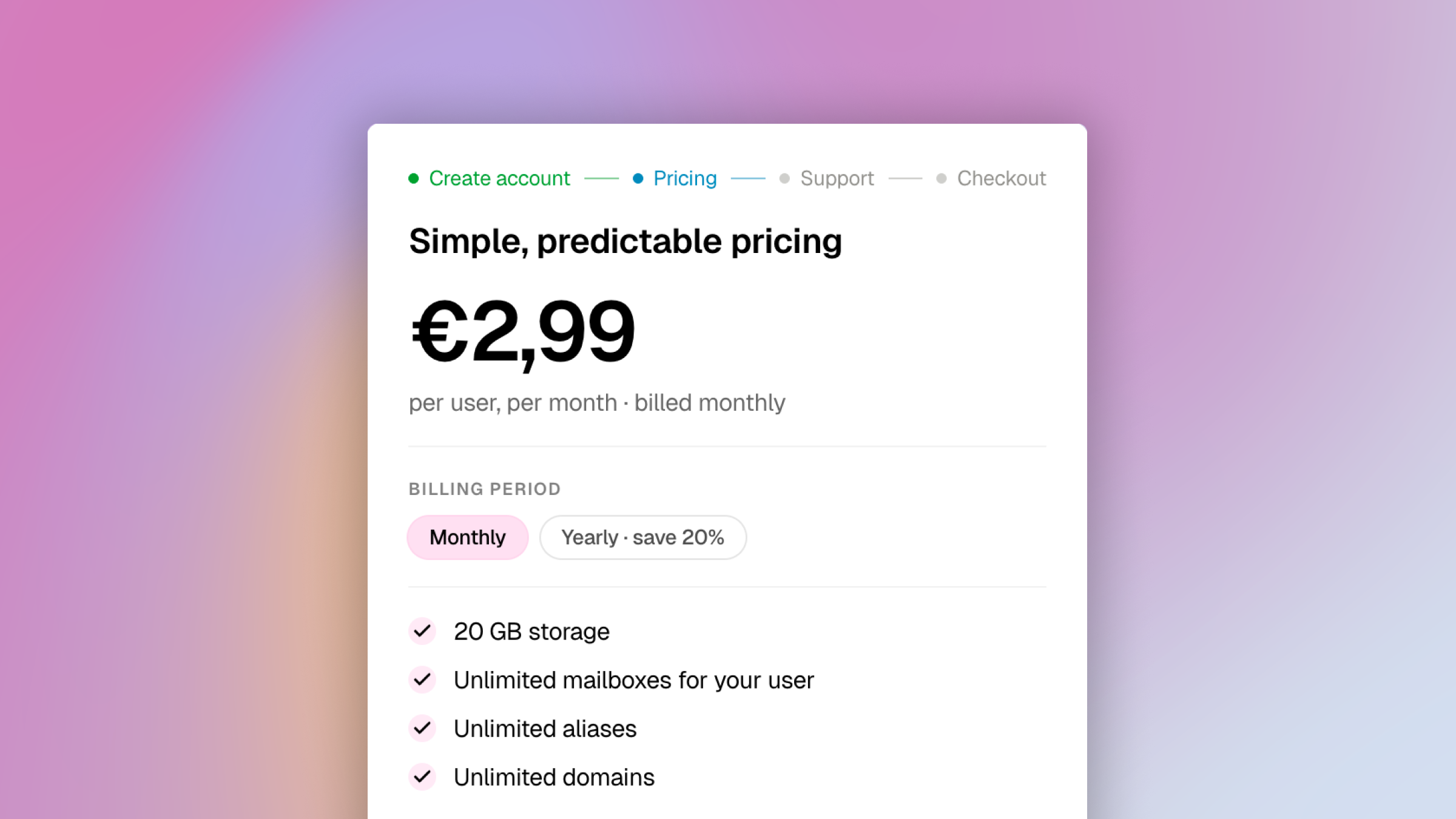
There's now one plan: Cirrux at €2,99 per user per month (or €29/year). It includes everything: your cirrux.me address, custom domains, email, calendar, contacts, IMAP access, Cirrux Sync, and Cirrux Backup. It comes with 20GB of storage. If you need more space, you can upgrade to Cirrux Plus for €4,99 per user per month which bumps storage to 100GB. This was the crucial change needed for Drive, because those files obviously don’t fit the ‘pay per mailbox’ model. Now it’s all clear.
In the sea of 20 or 30+ euro subscriptions we’re now getting used to, I’m trying to stick to friendly and simple pricing. But I know a lot of you want to support the project, which you can do by becoming a Superfan. This gives access to the Telegram group, and you’re getting early access to new features. You can now pledge three different options, depending on how much you want to contribute.
You can review and upgrade directly from Settings → Billing.
The new pricing is also live on cirrux.co/pricing if you want to send it to someone considering the switch.
Auto-alias
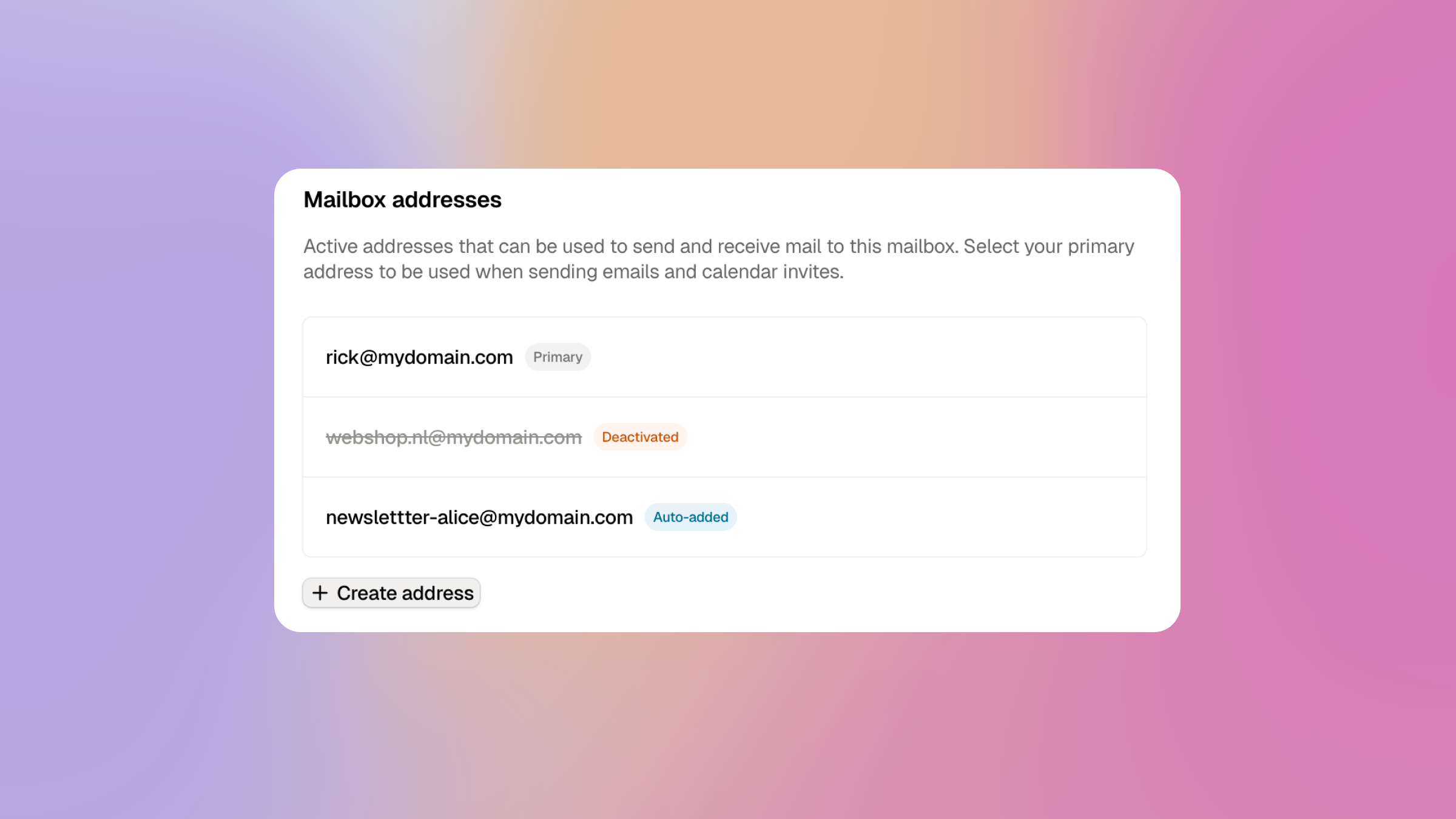
Here’s a fun little feature: if you’re using a catch-all (meaning anything before the @ is sent to one mailbox), Cirrux will automatically create aliases for any email that is used. From then on, you can send and reply from this address as well, and you can disable this alias with a single click too.
Example: let’s say I use @foo.com. I can now sign up for Frank’s newsletter with franks-newsletter@foo.com. When I no longer want to receive this newsletter, I can disable the address with one click, and I’ll never hear from Frank again.
I love that with the completely independent stack we can now start to build these smaller, useful additions.
Passkey support for logging in without a password
Having a strong password is a good start. Adding two-factor authentication is better. But if you add a layer of biometric verification (unlocking with your fingerprint or Face ID), or by adding a physical security key, you dramatically improve the security of your account.
This system is called Passkeys, and all modern browsers support it. In Cirrux, you can now configure Passkeys (Settings → Security), which allows you to sign in without providing your password. As soon as it is set up, you can even disable the normal password route, improving your security setup even more.
Draft compatibility and editor improvements
I’m committed to make third party clients work seamlessly together with my own clients. So I’ve spent quite some time making sure that creating a draft in your IMAP client pops up in Cirrux Mail and vice versa. That seems simple on the surface but under the hood that means translating two different formats, handling attachments and making sure your IMAP client is aware of remote updates. But bottom line: it should just work, without noticing.
While working on this, I also improved arrow navigation in the editor in combination with inline attachments and images, and fixed issues where sometimes images could not be removed for older drafts.
Last but not least: drafts in webmail would sometimes not respond to keyboard shortcuts, especially if you used the pop-out version. It also didn’t always keep your cursor in the same spot, which it now does.
Fixes and improvements
Other notable improvements and fixes:
- Improvement: You can now undo sending emails for a few seconds after hitting send. If you spot a typo or sent to the wrong person, just hit undo or press
Cmd+z(orCtrl+z). - Improvement: Improved the two-factor authentication setup flow, including a copyable TOTP secret for password managers that don't scan QR codes.
- Improvement: Sub-sub-labels are now supported, so you can nest labels as deep as you like. I also added a Labels tab in your mailbox settings page where you can add, rename and delete labels.
- Improvement: When selecting emails, you can now use
Cmd+A(orCtrl+A) to select all. - Improvement: Added toasts when creating, editing or deleting filters, so you get immediate feedback that the change landed.
- Improvement: You can now switch the From address on an existing email when composing or replying. It will remember the one you used las when composing, when replying it will try to match the address the original email was directed to.
- Improvement: Search is much better at finding emails by name or email the email was sent from.
- Improvement: Webfonts referenced in email HTML are now proxied through Cirrux, so opening an email no longer leaks your IP to third party font CDNs.
- Improvement: 1x1 tracking pixels in emails are automatically removed from emails presented in webmail.
- Improvement: Network status now updates immediately when the WebSocket disconnects, so you know right away if you're offline.
- Improvement: Admins now get a hint to set up catch-all for their domains at the mailbox settings page.
- Improvement: Added documentation to help set up Cirrux with Cal.com for pretty scheduling pages.
- Improvement: macOS and iOS configuration profiles use the primary email address as label instead of just ‘Cirrux’.
- Improvement: Next to pressing
Xto select a thread, you can also useCmd+click(orCtrl+click). - Improvement: You can now see and remove custom labels on the thread detail page. Improved mobile display too.
- Fixed: Resolved missing dark mode elements when setting up email filters.
- Fixed: When dragging recipient in dark mode, the label was unreadable.
- Fixed: Editor now correctly handles Safari autocorrect on macOS and iOS instead of swallowing part of the text.
- Fixed: After marking a thread as spam, webmail now correctly moves to next thread.
- Fixed: Cancelled Google Calendar events were sometimes imported as infinite recurring series.
- Fixed: Locally-created exception rows on recurring events are now adopted on Google import instead of duplicated.
- Fixed: Unparseable emails during Google import are now skipped instead of blocking the whole import.
- Fixed: CalDAV would crash when updating a contact when the address-matching
typesparameter was missing. - Fixed: CalDAV events were always reported with
STATUS:CONFIRMEDregardless of their actual status.
What's next
- Cirrux Drive: As I mentioned, the next major component I’m launching is Cirrux Drive, a place to store and share files within your workspace. It’s getting close and I expect to roll it out for Superfans first later this week.
- IMAP import: I’ve also been scaffolding a simple, one time, IMAP import option, which I aim to launch later this week as well.
- Sync for Outlook: Plenty of people want to migrate their Microsoft accounts. That's next on the list.
Have a great week,
Rick